Send Faxes From
Your Phone
10 free pages every month to any supported country, resetting on the 1st, then credit packs from $1.99 and your own fax number from $4.99 a month. Scan a document, enter the fax number, and send, all from your phone, with automatic cropping, real-time tracking, and a push notification when it's delivered.
Reviewed October 2026
 5.022 App Store ratings
 5.011 Google Play reviews
Free · No credit card required
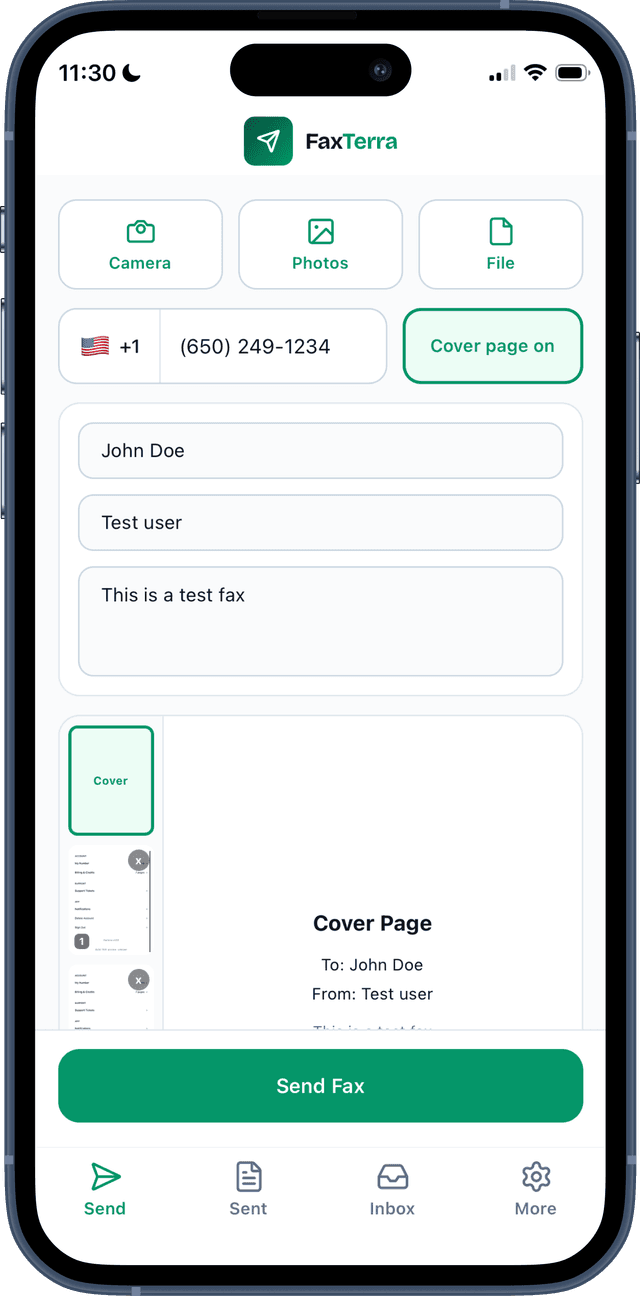
Your phone is the scanner
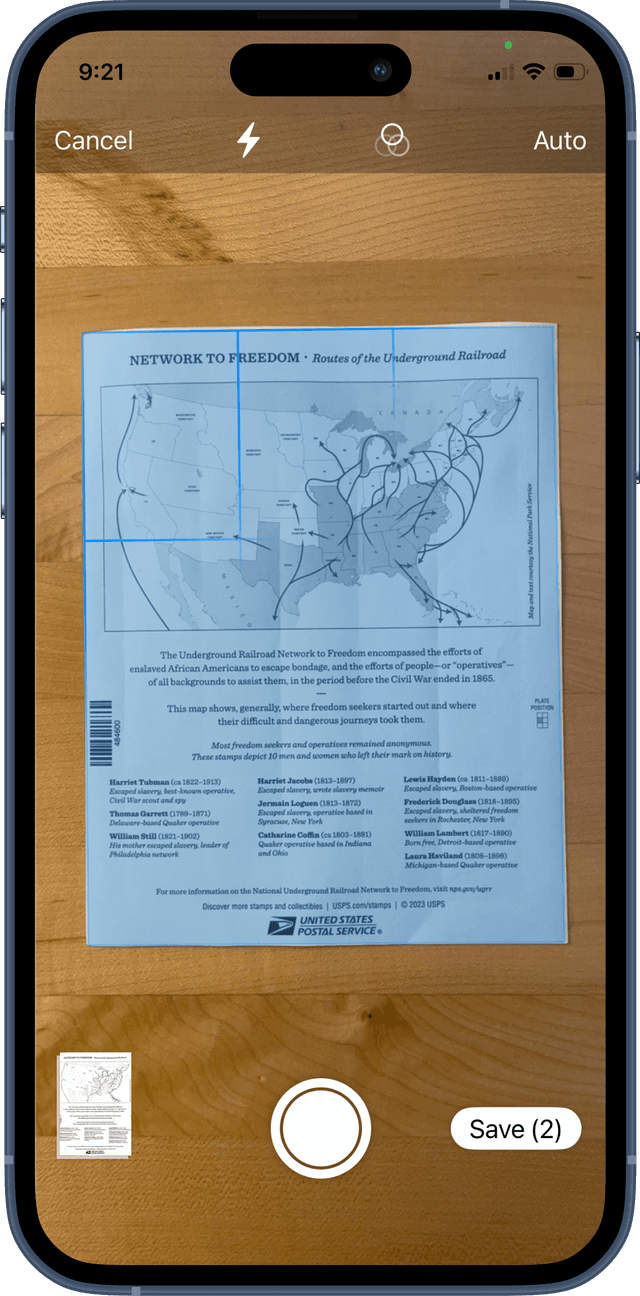
Point your camera at any document. FaxTerra automatically detects the edges, corrects the perspective, and optimizes the image for fax — no manual cropping, no separate scanner app.
Auto edge detection
The scanner finds your document automatically — even on a cluttered desk. Snap the photo and it crops to the page.
Perspective correction
Shooting at an angle? The app straightens the image so your fax arrives looking like a flat scan, not a photo.
Fax-optimized output
Images are converted to high-contrast black and white, cleaned up, and formatted for crisp fax delivery.
Everything you need to fax on the go
Push notifications
Get notified the moment your fax is delivered or fails, and the moment a fax arrives on your number. No need to keep checking.
Drafts sync across devices
Start a fax on your phone, finish it on your computer. Drafts save automatically and sync in real time.
Preview before sending
See exactly what the recipient will receive, including your cover page, before you hit send.
Multi-page faxes
Scan multiple pages, pick photos from your gallery, and add PDFs — all in one fax. Reorder pages with a tap.
27 countries
Fax internationally to the US, Canada, UK, Germany, France, Australia, Japan, and more.
No ads, no watermarks
Your fax arrives clean and professional. No branding, no third-party ads, no fine print.
Three steps from your phone
Step by step on each phone, with the browser or the app: how to send a fax from your phone.
Scan
Open the app and scan your document with your camera. Or pick a photo from your gallery, or upload a PDF.
Preview
Review the fax exactly as the recipient will see it. Add a cover page with a custom message if you need one.
Send
Enter the fax number and send. You'll get a push notification the moment it's delivered.
Same pricing as the web
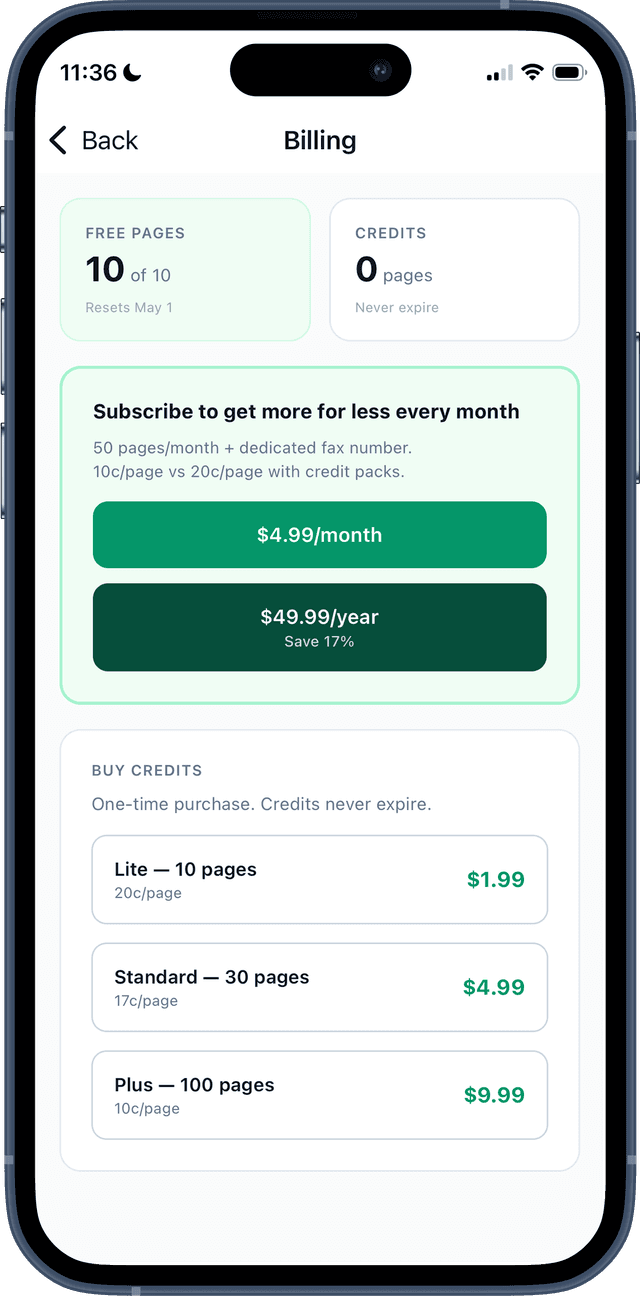
10 free pages per month to any supported country. No credit card required.
Need more? Credit packs start at $1.99. Want a dedicated fax number and inbox? Subscribe from $4.99/mo. For a side-by-side of the fax apps on iPhone or Android, see what each one charges, what they cost per year, or what a store counter charges per page.
Buy credits right in the app, with Apple Pay on iPhone or Google Play on Android. No trip to a browser.
Common Questions
Is there a truly free fax app?
Yes. FaxTerra gives every account 10 free pages each calendar month to any supported country, resetting on the 1st, in the app and on the web alike. There is no credit card to add and no trial to cancel, and the pages come back every month whether you used them or not.
Can I use my phone as a fax machine?
Yes, through a fax service rather than the phone line. The FaxTerra app scans the paper with your camera and sends it over the internet to our fax service, which delivers it to the recipient's fax number. With a plan, your own fax number receives faxes into the app as well.
Does the iPhone have a built-in fax?
No. An iPhone has no fax feature of its own. A fax app or the browser sends the document over the internet to a fax service, and the service delivers it to the fax number.
Can I send a fax from Gmail?
Not with FaxTerra. FaxTerra does not accept faxes by email, so download the attachment and send it from the app or faxterra.com within your free pages.
Is eFax still free?
No, eFax offers a trial that needs a credit card rather than a free tier.
Is the FaxTerra app free?
Yes. You get 10 free pages per month to any supported country. No credit card required. Need more? Buy a credit pack starting at $1.99 or subscribe for $4.99/month.
Can I scan documents with my phone camera?
Yes. FaxTerra uses your phone's built-in document scanner on both iPhone and Android to automatically detect page edges, correct perspective, and optimize for fax quality. Point your camera at a document and skip the manual cropping.
What file types can I fax from the app?
You can fax PDFs, JPG, PNG, and HEIC images. Photos from your camera roll are automatically converted and optimized for fax delivery. You can also mix different file types in a single multi-page fax.
Will I know when my fax is delivered?
Yes. You'll get a push notification the moment your fax is delivered (or if it fails). You can also track delivery status in real time within the app.
Can I receive faxes on my phone?
Yes. Subscribers get a dedicated fax number with an inbox. Incoming faxes appear in the app and trigger a push notification. Plans start at $4.99/month.
Is the app available on Android?
Yes. FaxTerra is on Google Play for Android and on the App Store for iPhone. You can also send faxes from any device at faxterra.com.
Do I need a separate account for the app?
No. Sign in with Google, with an emailed code, or with Apple on iPhone. It is the same account as the web, so your credits, drafts, and fax history sync across devices and platforms.
Where can I send faxes?
Every account sends to all 27 supported countries, including the UK, Germany, France, Australia, and Japan, on free pages, credits or a plan. A page outside the US and Canada counts as two.
Don't need the app?
FaxTerra works great in your phone's browser too — same features, same account, no download. You can scan documents, upload PDFs, and send faxes right from faxterra.com/send.
On a computer with a document on your phone? Use our QR code upload — scan the code from your desktop and your phone's camera roll opens directly. No emailing files to yourself.
Get started freeFax from your phone today
Download FaxTerra to scan, send, and track faxes from your phone.
5.022 App Store ratings5.011 Google Play reviews