How FaxTerra Works
Send and receive faxes from a browser or a phone with no fax machine and nothing to install. Send 10 pages a month free. Subscribe to receive faxes at your own number.
Also available on mobile.


How to send and receive a fax
Steps one to five work on every account. Steps six and seven need a subscription.
Free
10 pages a month to United States and Canada with no card. Free accounts send from a shared fax number. Subscribe to get your own number and receive replies.
With a plan
From $4.99 a month: your own fax number, an inbox, and 60 or more pages a month for sending and receiving. Compare plans.
Step one
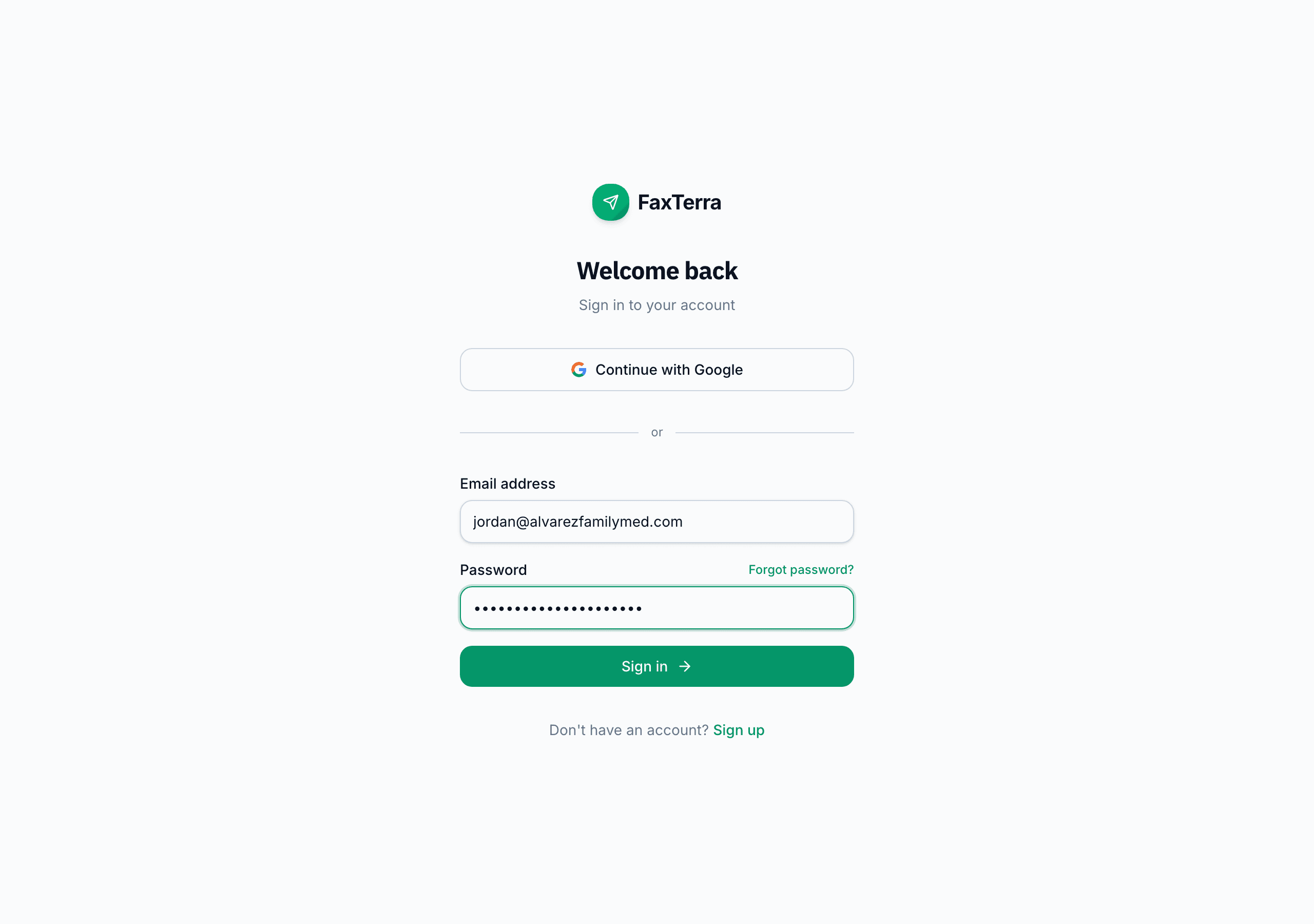
Sign in
Sign in with Google, an emailed link, or a password. Give everyone in your office their own login at no extra cost.
Step two
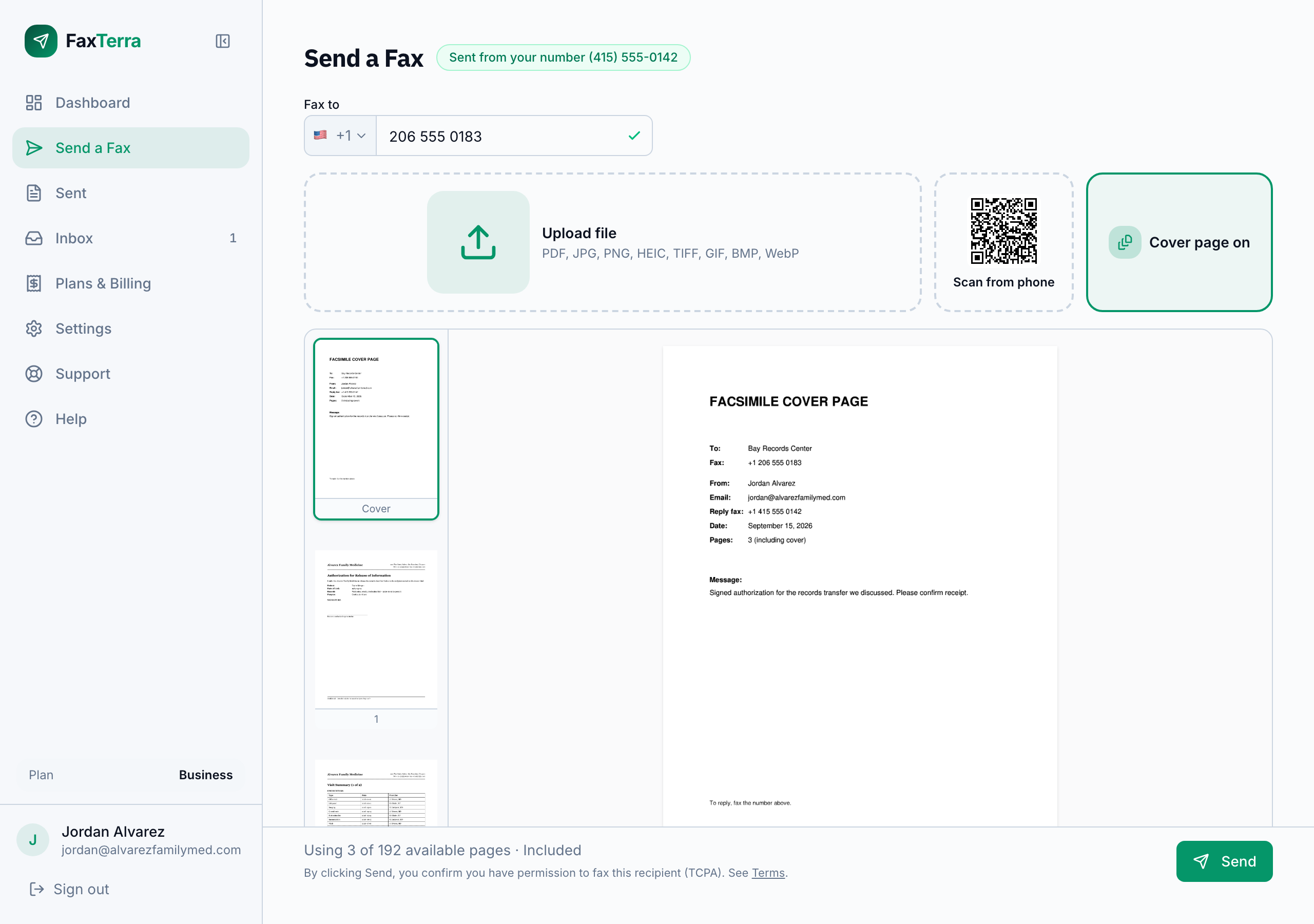
Send a fax
Enter the fax number and attach your document. Preview every page as it will print, and flip or remove any page. Combine PDFs, photos and iPhone HEIC files into one fax.
Step three
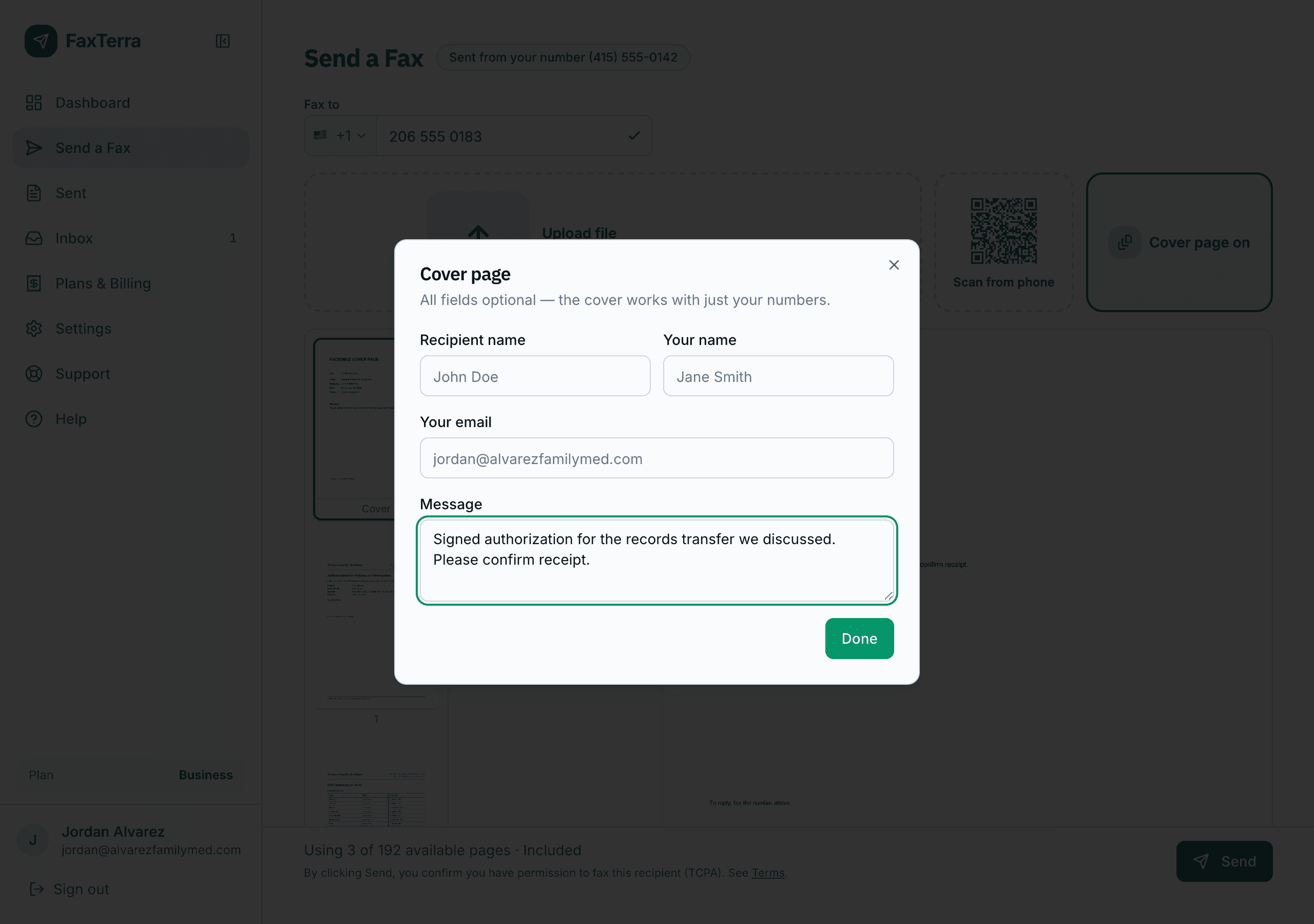
Add a cover page
Add a cover page with a message. The recipient, your number, the date and the page count are filled in for you. Every field is optional. The cover counts as one page.
Step four
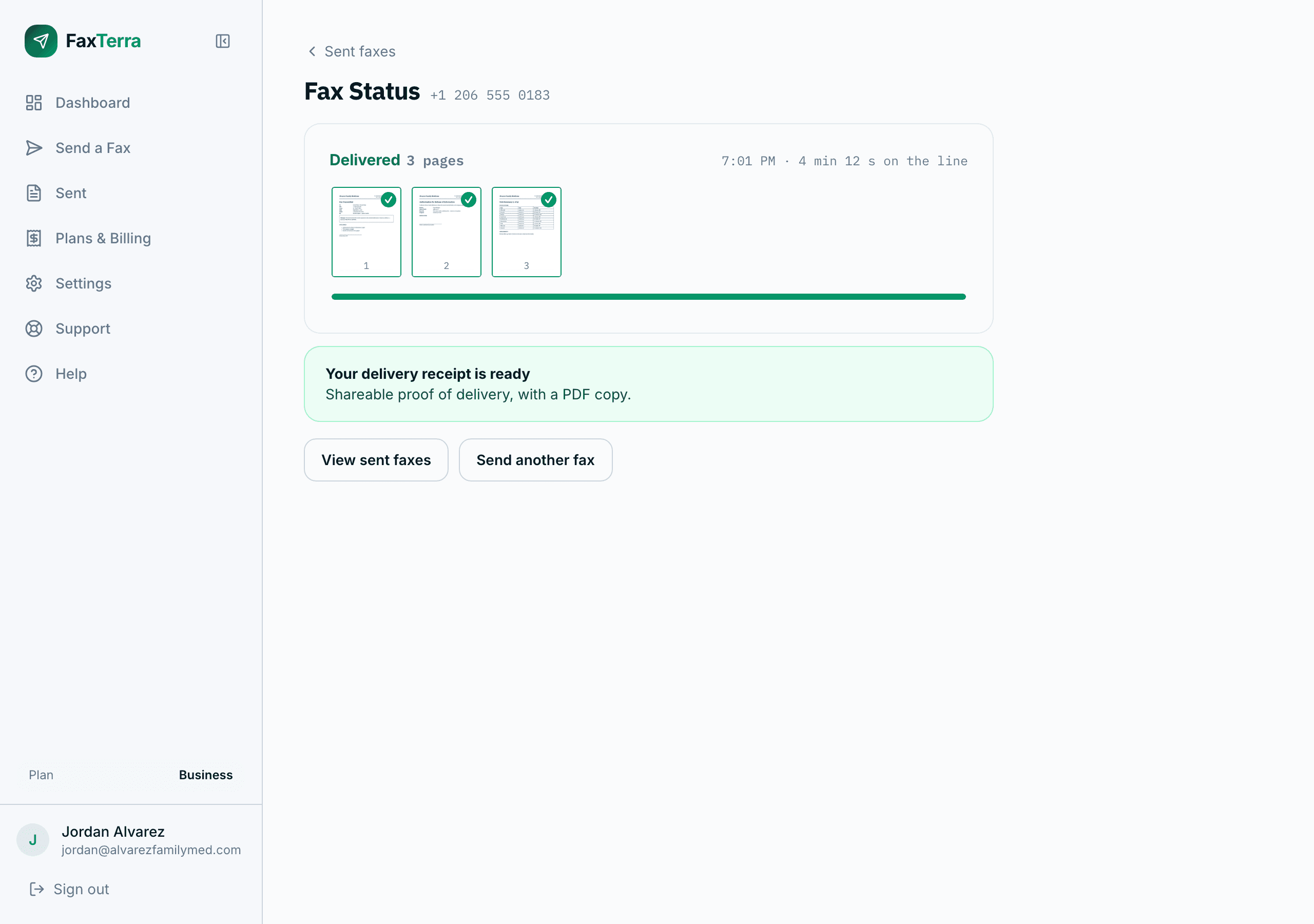
Track delivery
Track your fax to delivery in real time. You will receive a delivery confirmation email with a shareable receipt.
Step five
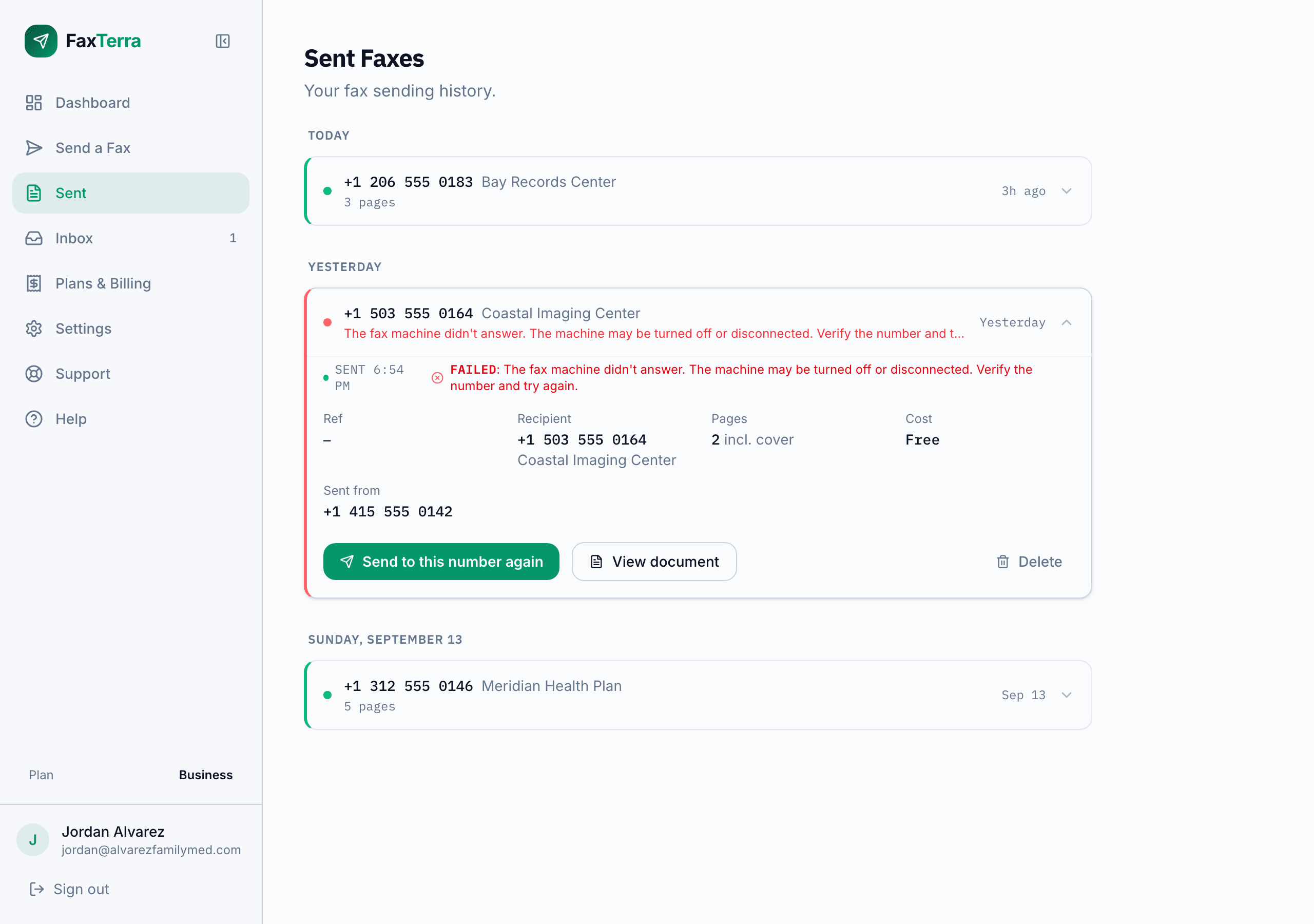
Review sent faxes
Your sent history keeps every fax with its status, page count and time sent. A failure notice says why a fax did not go through. Busy or unanswered numbers are retried automatically at no charge.
Step six
Needs a planGet your own number
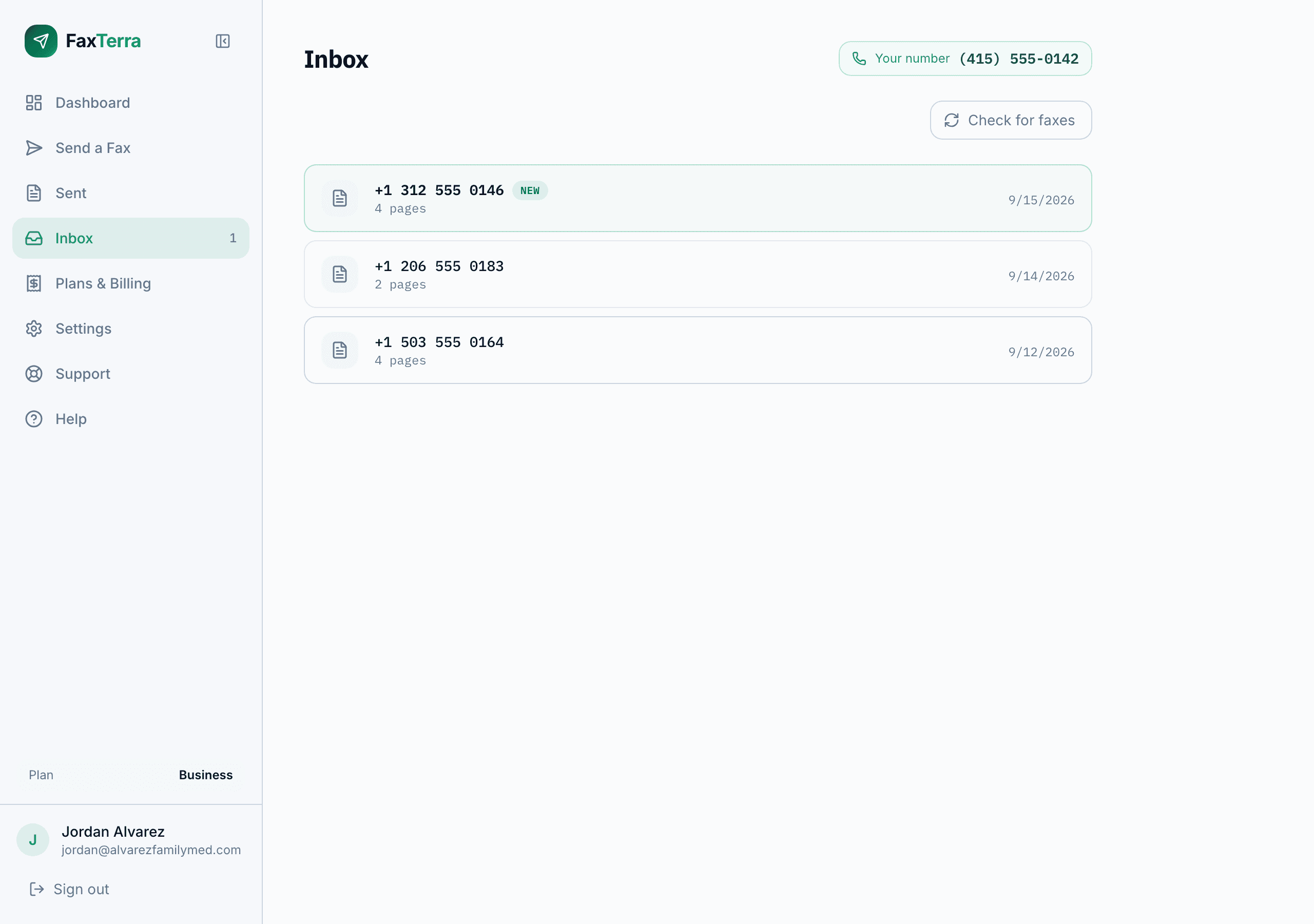
Every plan includes your own fax number. Incoming faxes arrive in a shared inbox, with an email to the account owner and a push notification in the app.
Step seven
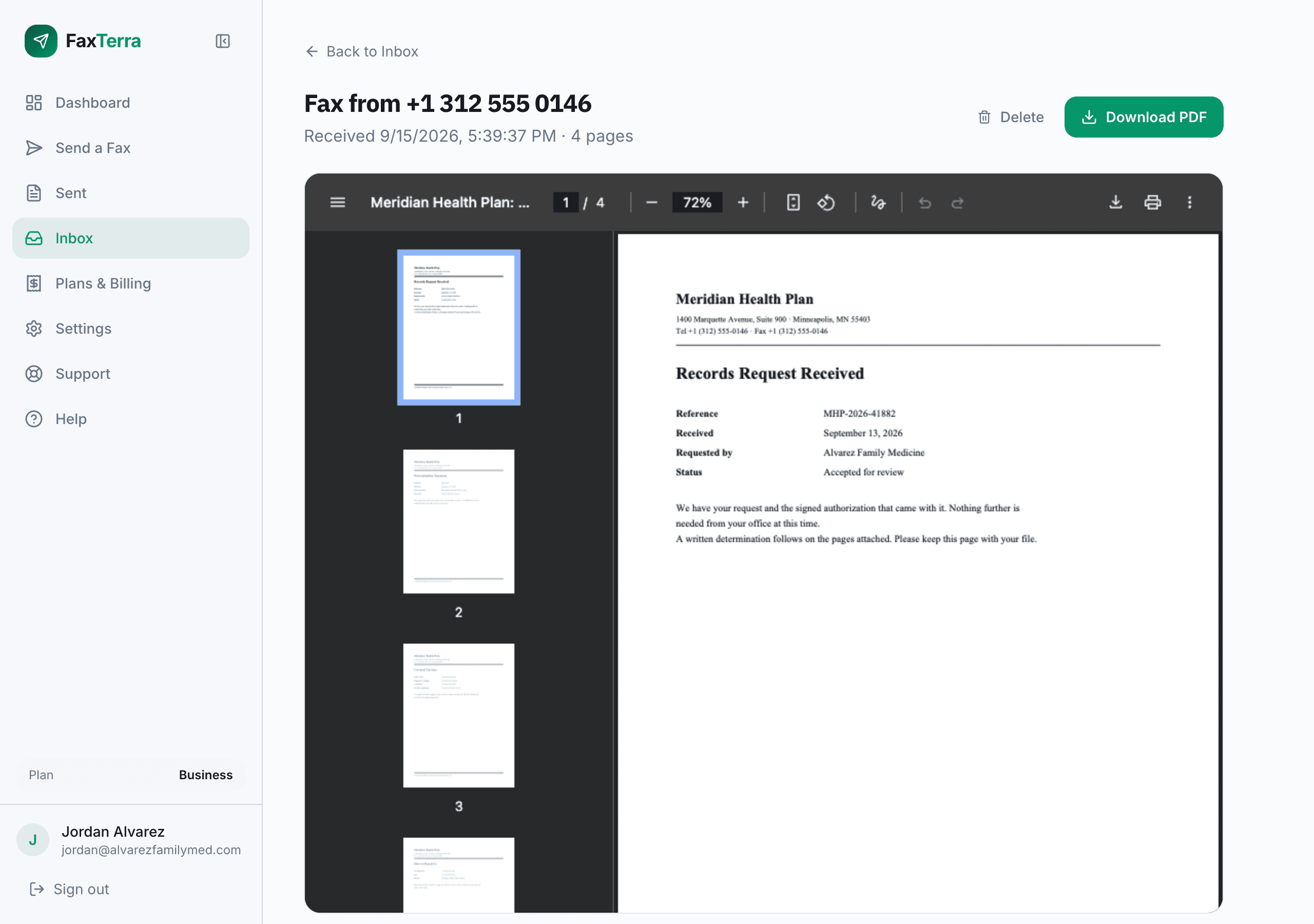
Needs a planView received faxes
View received faxes online and download them as PDFs.
Step eight
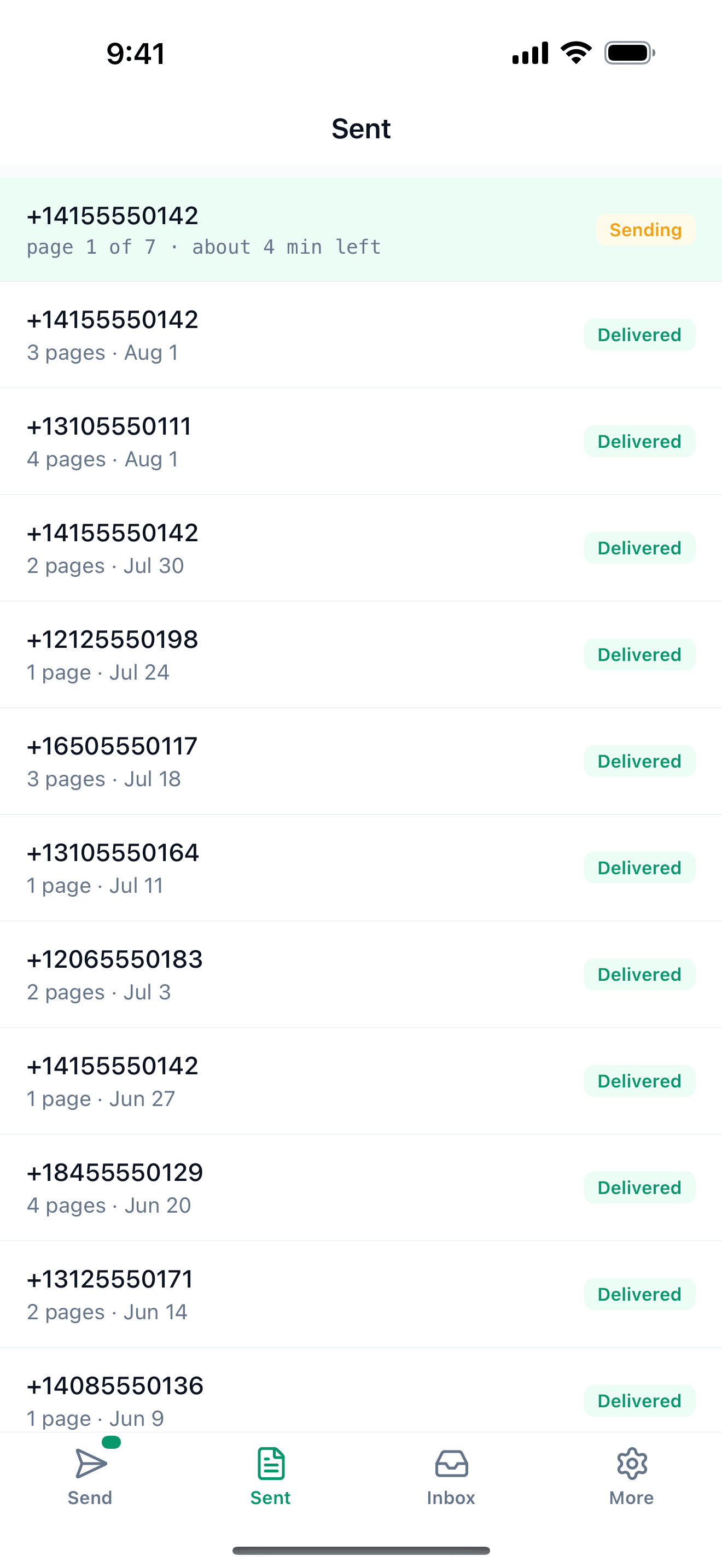
Use the app
The iPhone and Android apps use the same account as the website. Fax a paper form by photographing it with your phone.
Downloads
How FaxTerra Works
This walkthrough as a PDF, with plans and retention on the last page.
Download the walkthroughHelp articles
File types, page limits, countries.
Choosing a number, your inbox, notifications.
Questions? Contact us at support@faxterra.com
Plans at a glance
| Plan | Monthly | Yearly | Pages a month | Fax number |
|---|---|---|---|---|
| Free | Free | Free | 10 | Not included |
| Starter | $4.99 | $49.99 | 60 | Your own number |
| Business | $9.99 | $99.99 | 210 | Your own number |
| Pro | $29.99 | $299.00 | 1,010 | Your own number |
Received pages draw on the same monthly allowance as sent pages.
For extra sending, buy a pack of pages: 10 for $1.99, 30 for $4.99, or 100 for $9.99. Packs never expire, cover sending only, and work with or without a plan.
Add-ons and the full comparison are on the pricing page.