How do I sign a page before I fax it?
Press Sign on the page, put your signature where the page asks for it, and the signed page goes back into your fax. Nothing is sent until you press Send.
Sign the page you are about to send
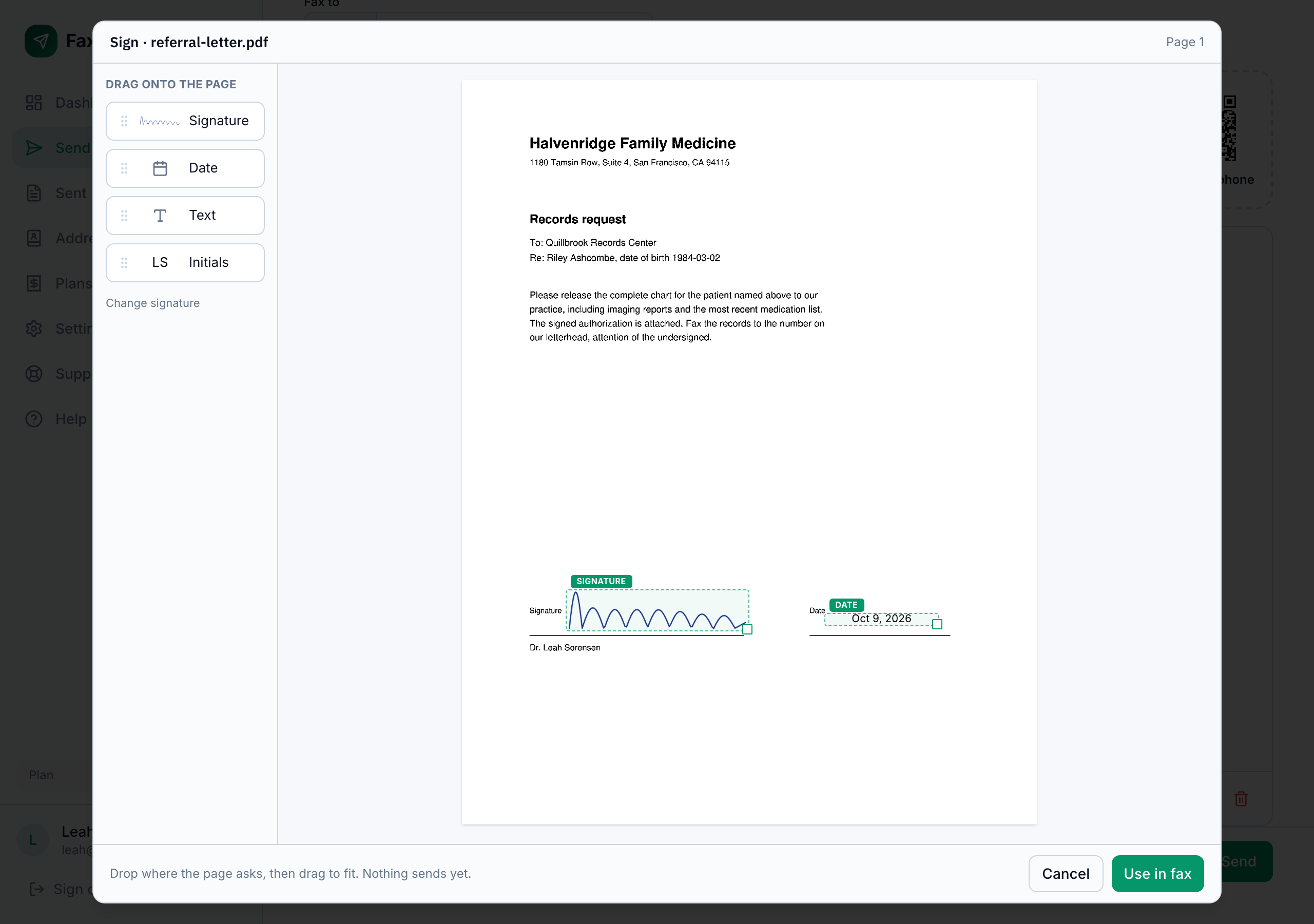
Upload your document and select the page with the signature line. Press Sign on the page toolbar, beside Flip. The page opens the way it will print. Drag your signature onto the line, add the date if the page asks for one, and press Use in fax. You are back in your fax with that page marked Signed, and you send it as you always do.
On a phone or tablet the page moves under a fixed box instead: pinch to zoom, drag the page so the line sits in the box, and tap to place.
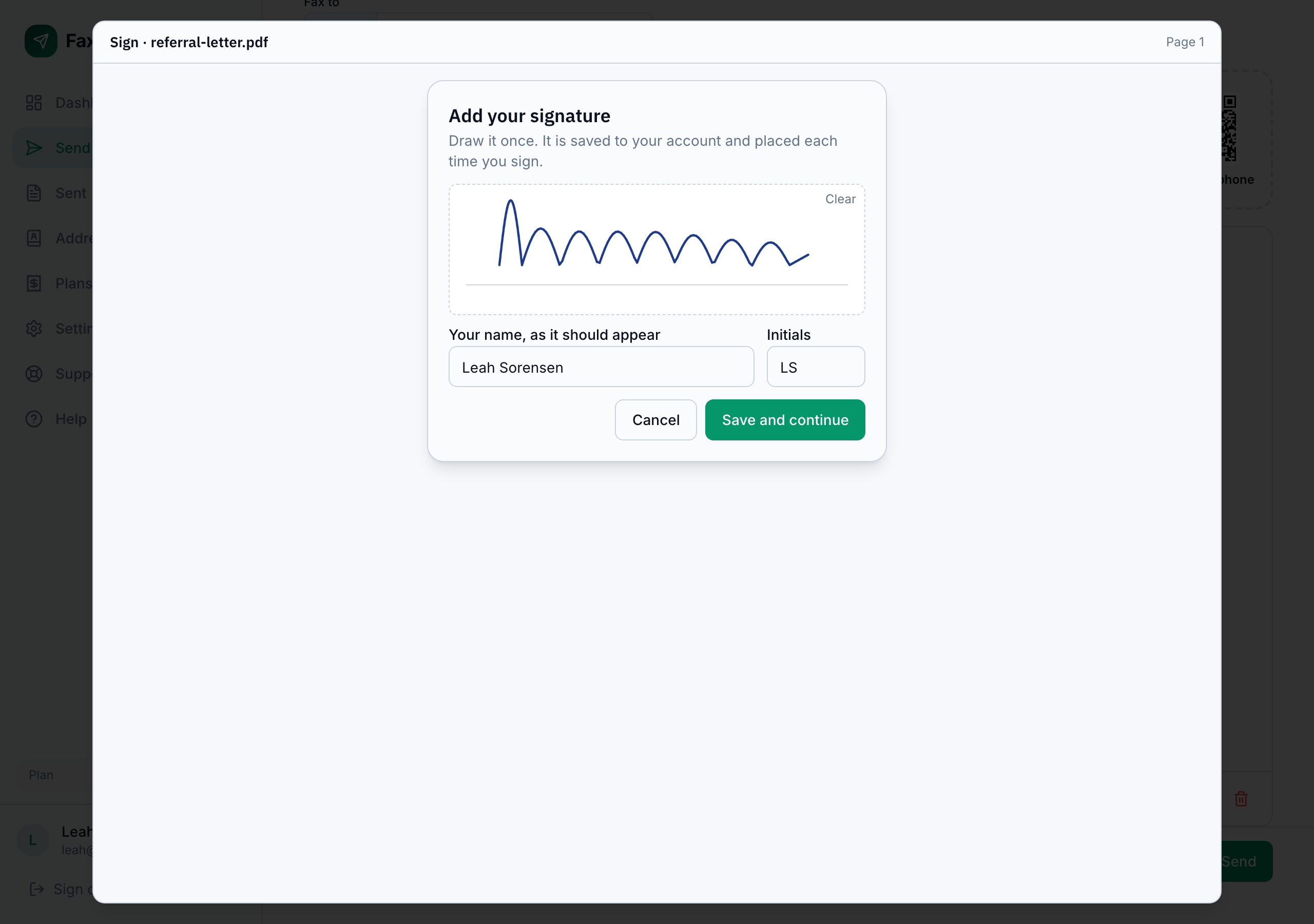
Your signature, drawn once
The first time you sign, FaxTerra asks you to draw your signature and type your name as it should appear. Your initials fill in from the name, and you can change them. It is all saved to your account and placed each time you sign after that. A typed name on its own is never used as a signature: the drawn signature is what goes on the page.
You can change or remove your saved signature in Settings. Removing it does not change pages you have already signed.
What you can place
Four things: your signature, the date (the date you sign), a line of text, and your initials, printed as the letters you saved with your signature. Each can be moved and resized until it sits where the page asks for it.
Fixing a placement
Once a page is signed, the toolbar control reads Edit signature. It reopens the unsigned page with your earlier placement, so you can move things and sign it again without uploading the document again.
What is recorded
Each time you sign, FaxTerra records who signed, for which account, the date and time, the IP address and device you signed from, where each item was placed, and a copy of the signed page. That copy is kept as it was signed and never regenerated. On a HIPAA account it is encrypted at rest like your other stored documents.
A signed page is a page like any other: it is counted and charged the same way, and you can still flip it or remove it from the fax.
Frequently Asked Questions
Can I send a document to someone else to sign?
No. Signing in FaxTerra is for your own signature on a page you are faxing. It does not send documents to other people for their signature.
My form needs signing on two pages. How do I do that?
Sign each page on its own. Select the first page and sign it, then select the second and sign that. Each page keeps its own Signed mark.
Does signing cost anything extra?
No. A signed page is sent and counted exactly like any other page of your fax.
If I am on a shared account, whose signature is used?
Yours. Every member signs with their own saved signature. The signed page belongs to the account whose fax it is in.