How do I receive faxes?
To receive faxes you need your own fax number, which comes with any subscription. Faxes sent to it arrive in your inbox and you are notified by email — and by push notification if you use the mobile app.
Getting your own fax number
Receiving requires a subscription, which includes a dedicated fax number that is yours. You choose the country and area code when you sign up for a plan. United States and Canada numbers are set up in under a minute. New Zealand and United Kingdom numbers are also available on every plan, and work differently: local regulations there require us to verify who you are and where you are before a number can be issued, so instead of handing you a number the search takes you to verification, and your number is assigned and activated about 3 business days later. United Kingdom numbers need a government ID and a proof of address in the country, dated within the last 3 months. New Zealand numbers need no documents at all: your name and a real address there are enough. Sending works the moment you subscribe, from a shared FaxTerra number until yours is live, so only the incoming number waits; a faxed reply reaches you once your own number is active. If the regulator asks for a correction, we email you exactly what to change and you resubmit only that; everything they accepted is kept. If the verification is finally declined you get a full refund. Until you submit it, and again if the regulator asks for a change, you can cancel the verification yourself from the verification page: we delete the documents you uploaded after 30 days, your plan stays as it is, and you can start again whenever you like. Give your number to anyone who needs to fax you.
Your plan includes one number. If you need a second, you can add it to the same subscription: see more than one fax number.
Your number is confirmed working before you use it
A new United States or Canada number shows "Setting up" for a moment while we confirm it can actually receive faxes, and you get an email as soon as it is verified and live. It usually takes under a minute. You can upload and arrange your document the whole time; only the Send button waits, because the return number printed on your fax is the one being confirmed. If it is taking longer than expected we offer you a different number right away, free. If a number does not pass, we replace it for you and tell you once, when the new one is verified and live; there is nothing for you to do.
Where received faxes go
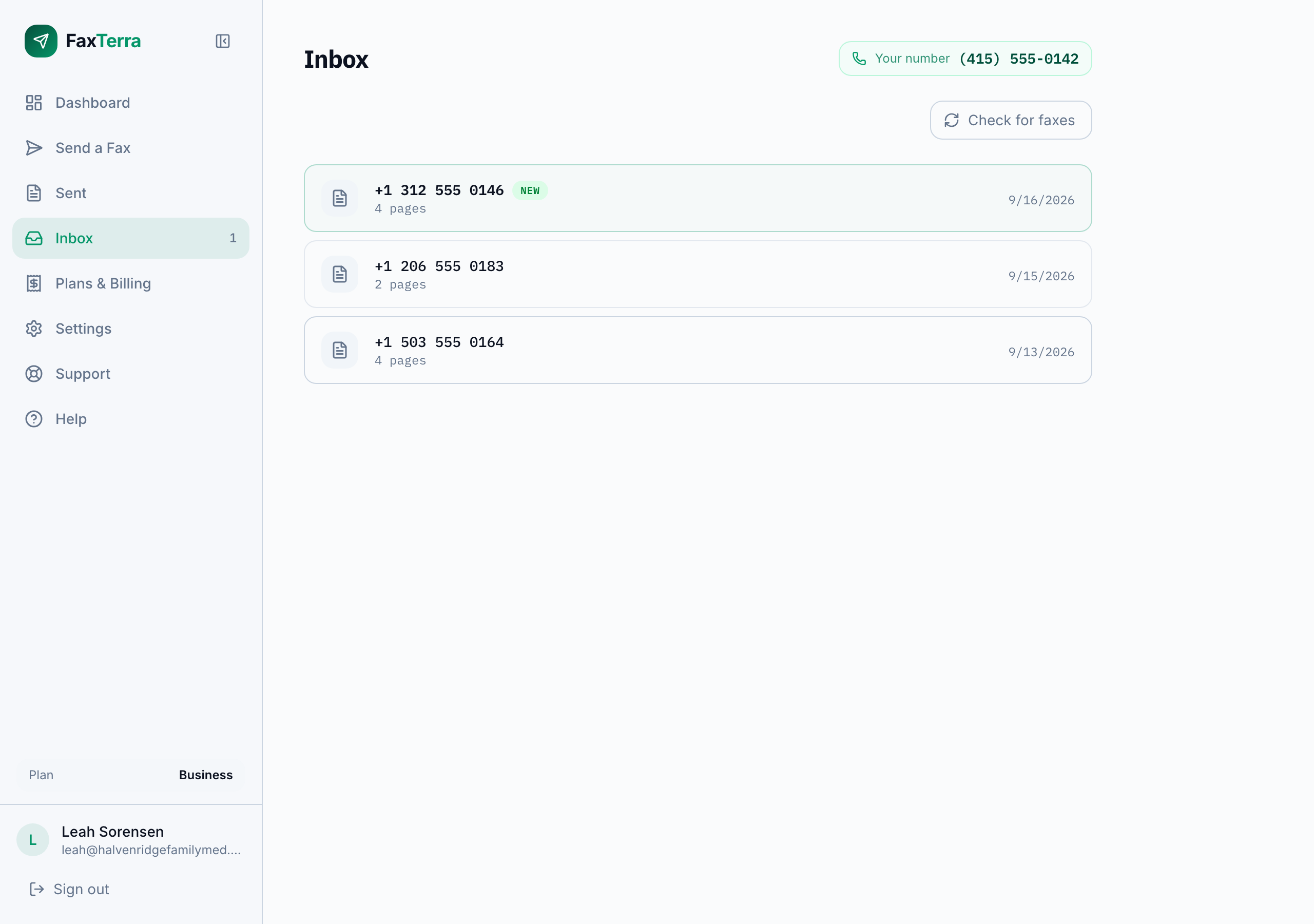
A fax sent to your number arrives in your FaxTerra inbox, and you are notified by email, and by push notification if you use the mobile app, so you do not have to keep checking. On a team account everyone on it is told, each at their own notification address, and each person can turn that off for themselves in Settings.
A fax you were expecting didn't arrive
When a fax machine reaches your number and the fax does not complete, your inbox lists the attempt with the sending number and the label "Didn't come through", so you know someone tried. Nothing arrived, so there is nothing to open, and the attempt does not use any of your pages. A fax can fail on the sender's machine, on the phone network, or on your line, and the attempt on its own does not show which.
Ask the sender to send it again. Most retries go through, and once one does, the attempt row goes away. If their machine reports the fax as sent and it still has not reached you, check that they have your exact number, including the country code if they are faxing from abroad.
Opening a fax you received
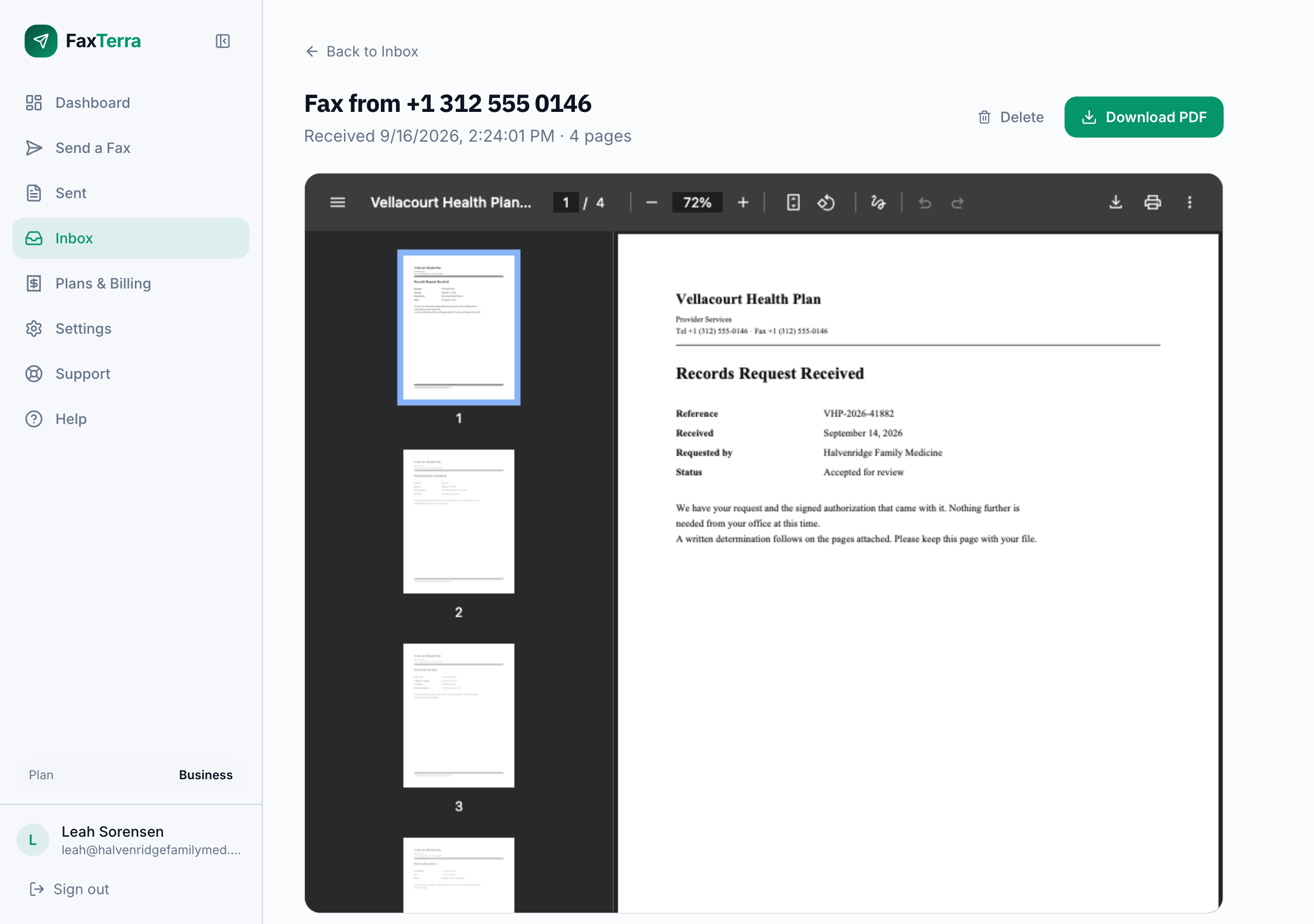
Open a fax from your inbox to read it page by page in your browser, on a phone or a computer, with nothing to install. Download PDF saves it: every received fax is a PDF, whatever the machine at the other end sent, so it goes straight into a file, an email, or a patient or client record.
Received pages use your monthly allowance
Pages you receive count against the same monthly page allowance you send with: one pool covers both directions. If more pages arrive in a month than your allowance covers, the extra faxes still arrive and are listed in your inbox, locked. A locked fax tells you how many of its pages are over the allowance, and you can open it right away with that many credits. The pages that fit are already covered by your plan, so you only pay for the pages over it, and nothing is charged until you click to open it. Otherwise it opens when your allowance refills next month, or when you move to a larger plan.
Why a reply needs your own number
When you send on the free tier, your fax goes out from a shared FaxTerra number, so a reply to that number cannot be routed back to you. If you expect someone to fax you back — a government office, a doctor, a bank — you need your own number, which means a subscription. See what the plans include.
A couple of limits worth knowing
If you already have a fax number, you can bring it with you: transferring an existing number in is free with any paid plan. Received faxes are kept in your inbox for a while and then removed (see what happens to your documents).
Frequently Asked Questions
Can I receive a fax for free?
Receiving requires a subscription, because it needs a dedicated fax number of your own. The free tier is for sending; free faxes go out from a shared number, so replies to it cannot reach you.
How do I know when a fax arrives?
A fax sent to your number lands in your FaxTerra inbox and you are notified by email. If you use the mobile app you also get a push notification. On a team account every person on it gets both, unless they turned it off in their own Settings. Those are the only two ways we tell you: FaxTerra never sends text messages, so a text claiming to be a fax notification from us did not come from us.
Can I choose my fax number?
In United States and Canada, yes. You pick the country and an area code, then choose the number you want from the ones available there; if the exact area code has nothing free we show you numbers nearby instead. The one you pick is yours for as long as you subscribe. In New Zealand and United Kingdom the number is assigned rather than chosen. Local regulations there do not allow a number to be issued before we have verified who you are, and we cannot hold a particular number for the few days that takes. The search shows you what is available, and your number is assigned from that inventory as soon as your verification is approved. You can still ask for a city by entering its area code.
Can I get a fax number in another country?
Receiving numbers are available in United States, Canada, New Zealand, and United Kingdom. Those are the countries we offer a number in today. A number in any of them receives faxes sent from anywhere in the world, so someone abroad can fax you on it with nothing special at their end. If you need a number in a country that is not on that list, tell us which one: what people ask for is how the list grows.
Can I get a toll-free fax number?
Not today. Toll-free numbers, the 800-style ones, are not offered as receiving numbers. A local number receives exactly the same way, and if you already publish a fax number you can bring it with you instead of handing out a new one. Premium-priced numbers, such as vanity-style digit patterns and a few whole area codes, are not offered either; a search there suggests nearby area codes instead.
Can I move my existing fax number to FaxTerra?
Yes, for US and Canada local numbers, and it is free with any paid plan. You can find out whether your number can move before you pay: the portability check is open to any signed-in account, creates no order, and answers in seconds. Your existing fax service keeps working until the transfer completes, and a number you brought in stays yours if you ever leave. See bringing your number with you for what to have ready, how long it takes, and how to move a number back out.
What format does a received fax arrive in?
A PDF. However many pages the fax has, they come as one file, so a 20-page fax is a single 20-page PDF rather than 20 separate images. Open it in the browser, or download it to print or keep with your records.
Do received faxes use my pages?
Yes. Received pages draw from the same monthly allowance as sending: one pool covers both. Credits never draw from that allowance; they come in only if you choose to open a fax that arrived after it ran out.
Can I open a fax that arrived after I ran out of pages?
Yes. Open it from your inbox and its page shows how many of its pages are over your allowance. If you have that many credits, one click opens it. If you do not, the page offers the smallest credit pack that covers it, and the fax opens when you come back from checkout. You only spend credits on the pages over your allowance, never on the pages your plan already covers, and an opened fax stays open. If you expect more faxes like it, a larger plan gives you more pages every month.
Can I have a second fax number?
Yes. Every paid plan includes one number, and you can add more to the same subscription for $3.99 a month each ($39.99 a year on annual billing). All of your numbers receive into the same inbox and share one page allowance. See more than one fax number.
I got an email saying my fax number needs to be replaced. Is it real?
Yes. FaxTerra automatically tests every new US or Canadian number by sending it a real fax from an outside line. If those test faxes do not arrive, we email you to replace the number, because faxes sent to it may not reach you. Replacing it is free and immediate from your fax numbers page, and your plan, inbox, and history are unchanged. If you already gave the old number to anyone, send them your new number once you have picked it.
I'm expecting a fax and it hasn't arrived. What should I check?
A fax arrives as a phone call, not a queued message like email. Once the call connects, it lands in your inbox within a minute or two of the call ending, and you are notified by email right away. If it has been longer than that and nothing has shown up, ask the sender whether their machine reported the fax as sent successfully. If it did, a common explanation is that they dialed a different number than yours: confirm the exact number you gave them, including the country code if they are faxing you from abroad. You can also send yourself a test fax from another line to check that your number is live and receiving. If you have checked the number and it is still not arriving, contact support and we will look into it.