Can I have more than one fax number?
Yes. Every paid plan includes one fax number, and you can add more to the same subscription. Here is what an extra number costs, how to add or remove one, and how the numbers on your account work together.
One number is included, and extras are an add-on
Every paid plan includes one fax number. When you need another, you add it to the subscription you already have for $3.99 a month, or $39.99 a year if your plan bills annually. There is no separate checkout and no second subscription; an extra number becomes a line on the same invoice.
Extra numbers give you more numbers, not more pages. Every number on the account receives into the same inbox and draws from the same monthly allowance, so the pages you get are set by your plan no matter how many numbers you hold. The free plan includes no fax number, so extras begin once you subscribe.
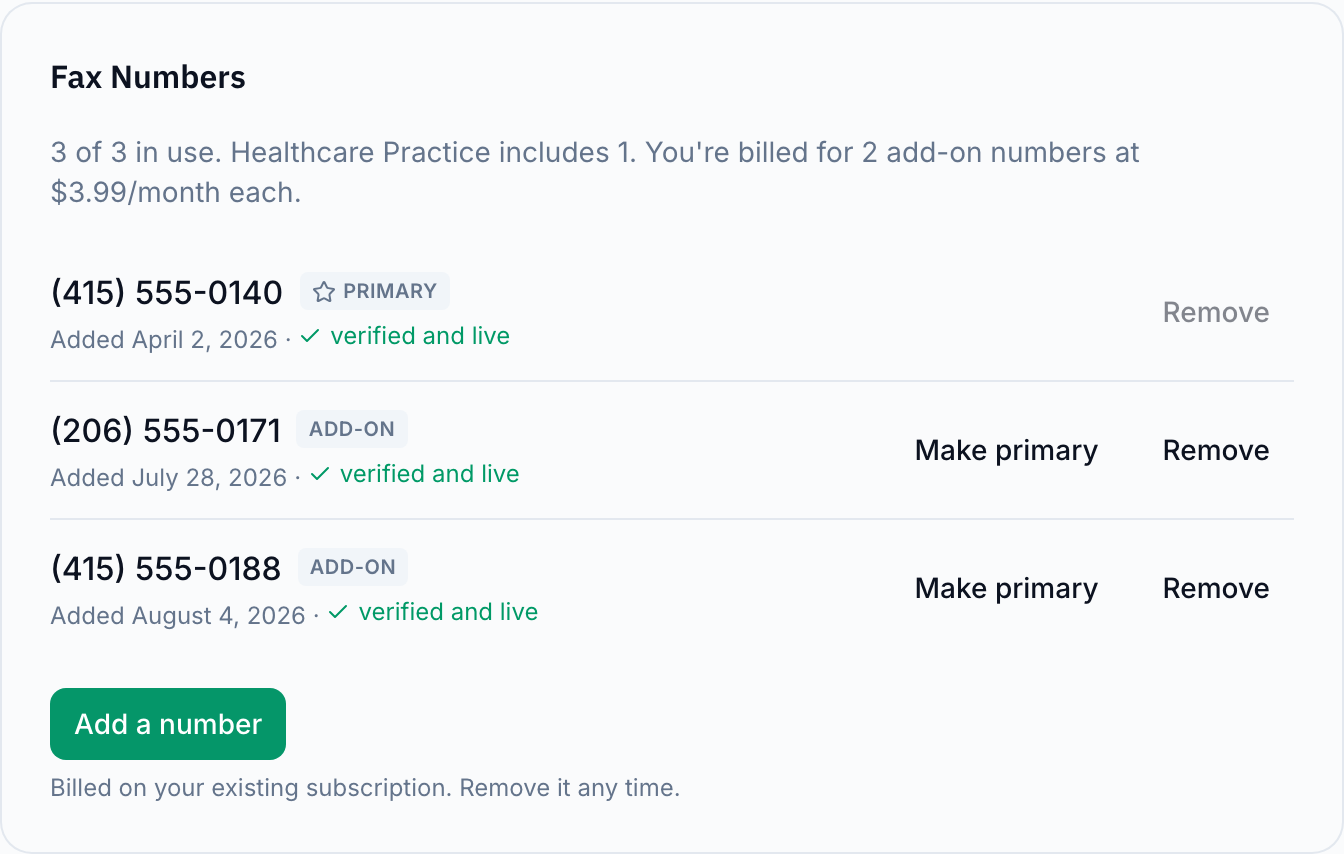
Your fax numbers page names every number you have, marks which ones your plan includes, and states what the rest cost.
Adding a number
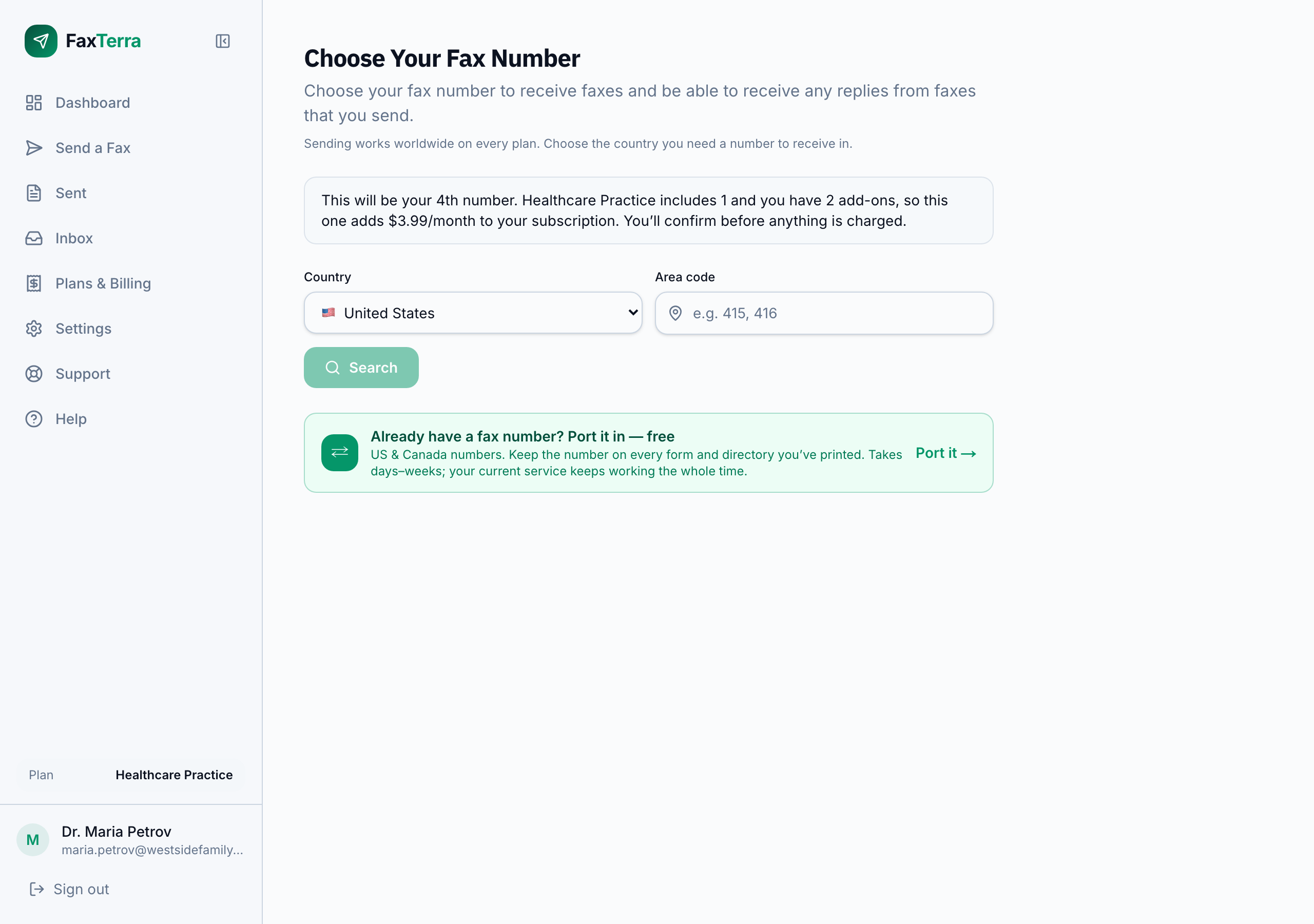
Open your fax numbers page and choose Add a number. You pick the country and area code exactly as you did for your first number, and you can bring an existing number with you instead of picking a new one.
You are told what it costs before you choose a number, and again before you confirm. The confirmation states the exact amount for the rest of your current billing period, whether it is charged today or added to your next invoice, what your subscription becomes from that invoice onward, and the date it arrives. On a monthly plan the amount is always small enough to ride to the next invoice; on an annual plan it covers the rest of the year, so it is charged when you confirm, with a receipt by email. If we cannot fetch those figures, the number is not added — we never make a billing change we could not price for you first. On a team account, adding a number is something admins and the owner do.
Your primary number
One of your numbers is the primary one. That is the number your faxes go out from, so it is the number a recipient sees and the one they reply to. Everything else is unchanged by the choice: every number you hold still receives, and all of it lands in the same inbox.
To change which one it is, choose Make primary next to the number you want on the Fax Numbers card. If you remove the number that is currently primary, another of your numbers takes over automatically, and the confirmation tells you which one before you agree.
Removing a number
Choose Remove next to a number on the Fax Numbers card. Removing a number you pay for as an add-on stops that charge, and the credit for the unused part of the period is applied to your next invoice.
Removing a number takes it out of service straight away. It goes back into circulation, so faxes sent to it stop reaching you from that moment. If you want it back later, the number picker can search for it, but once released it may have been taken. Faxes you already received on it stay in your inbox, and your other numbers are unaffected. The confirmation spells out each of these before you agree.
Change or remove a number whenever you need to, whether it is the only one on the account or one of several.
If you change plans
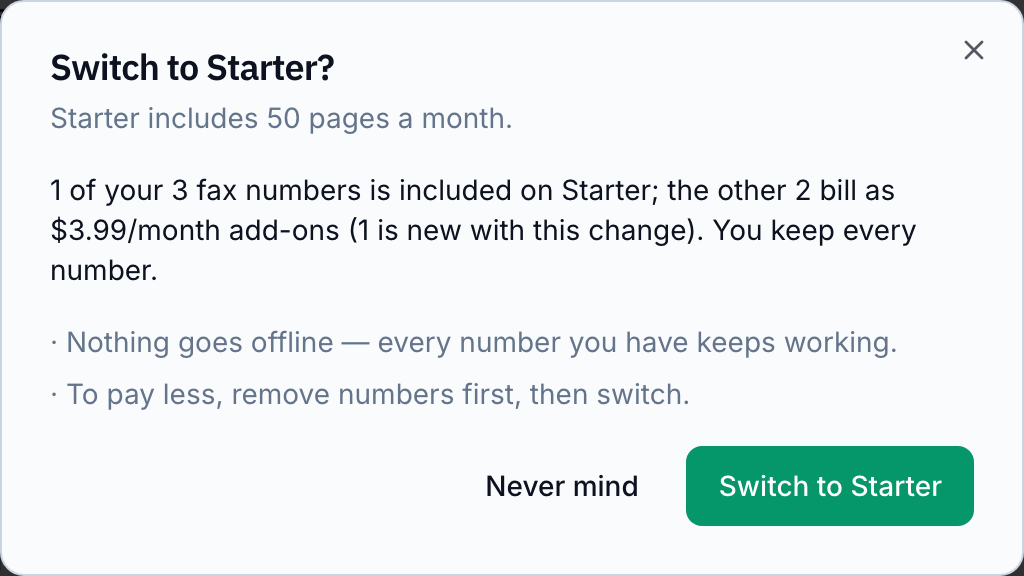
You keep every number you hold when you move to a smaller plan. The one your new plan includes stays included, and the others carry on as add-ons at the ordinary price. Nothing goes offline and no number is taken away.
The change is stated before you agree to it: one confirmation says how many of your numbers the new plan includes, how many become add-ons, what the credit for your unused period is, and what your subscription costs from the next invoice. If you would rather pay less, remove the numbers you no longer need first, then change plans. See plans and pricing for how plan changes are billed.
Monthly and annual billing
An extra number bills on the same schedule as your plan. On a monthly plan it is $3.99 a month; on an annual plan it is $39.99 a year. You do not choose the schedule separately, and switching your plan between monthly and annual moves your extra numbers with it.
Frequently Asked Questions
How much is an extra fax number?
$3.99 a month, or $39.99 a year if your plan bills annually. It is added to your existing subscription and appears on the same invoice.
When am I charged for an extra number?
On a monthly plan, no. The part of the current billing period the new number covers never reaches $4.00, so it is added to your next invoice along with the new recurring amount. On an annual plan that part-period amount covers the rest of the year, so it is charged when you confirm, and a receipt follows by email. Either way the confirmation shows the exact figure, when it is charged, and the date your next invoice arrives, so nothing appears on your card unannounced.
Do extra numbers come with more pages?
No. Every number on the account shares one inbox and one monthly page allowance, which is set by your plan. Adding a number gives you another number to receive on, not a larger allowance. If you need more pages, move to a larger plan or buy a pack of pages.
Which of my numbers do faxes go out from?
Your primary number. You choose which one that is from your fax numbers page, and you can change it whenever you like. Every number you hold receives regardless of which is primary.
What happens to my extra numbers if I move to a smaller plan?
You keep all of them. One is included on the new plan and the rest bill as add-ons at the ordinary price. The confirmation tells you how many convert and what they cost before you agree to the change.
If I remove an extra number, when does the charge stop?
The charge stops when you remove it, and the unused part of the period is credited against your next invoice. The number itself goes out of service immediately and is not held for you, so give out a different number before you remove one people still use.
How many fax numbers can I have?
You can add up to 20 extra numbers to an account yourself. If you need more than that, contact support and we will sort it out with you.
Why can I not add a number right now?
The Fax Numbers card says which of these applies. A free account has no subscription to add a number to, so subscribing comes first. A plan already set to cancel cannot take a new number, because the number would end with the plan. If a payment has not gone through, updating the card comes first. And on a team account, adding a number is an admin action, so a member sees the explanation rather than a button.