Sharing a fax account with your team
One number, one inbox, one pool of pages — used by your whole office. Invite people from Settings, and everyone sees the same faxes.
What a team account is
A team account shares one fax number, one inbox, one sent history, and one monthly pool of pages across everyone on it. Faxes stay with the account that sent or received them, so your office's fax record belongs to the office, not to whoever happened to click send.
An account can hold more than one fax number if you need one. Every number on the account feeds the same shared inbox and draws on the same pages, so adding one gives the team another number to publish rather than a second account to manage.
Every plan, including Free, lets you add as many people as you like, with no per-user fees. There is nothing to upgrade to: the account you already have becomes a team the moment you invite someone. Accounts that pass 25 people are asked to contact support, which is a fair-use limit rather than a plan feature.
Inviting your team
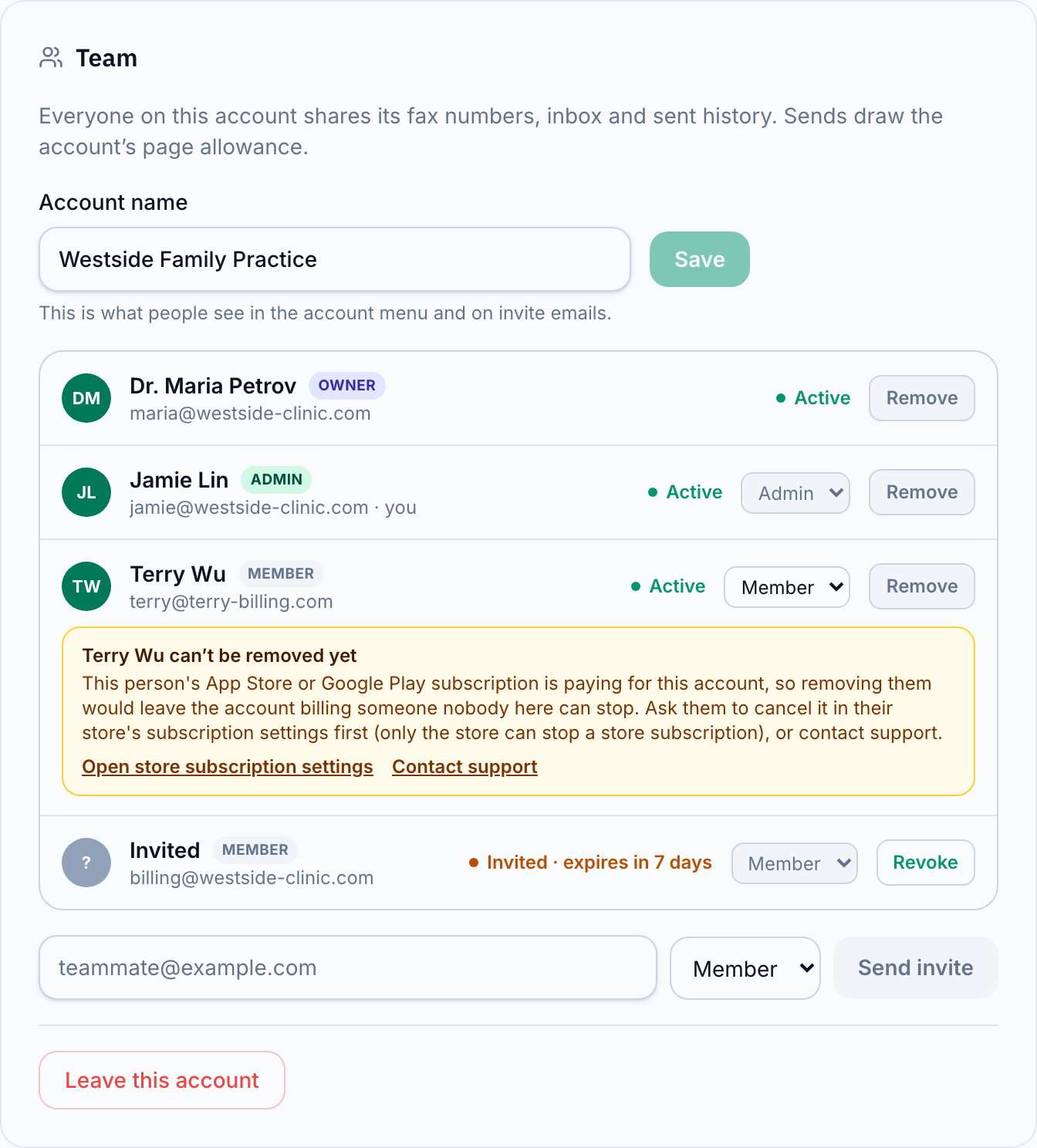
Invites live in Settings, in the Team card. Enter a teammate's email and they get a link that is good for 7 days; a pending invite counts as a person on the account until it is accepted, declined, withdrawn, or it expires. Each person on the account has a role:
- Members can send and receive faxes and use the shared pool of pages.
- Admins can also invite and remove people, buy pages, manage the plan, and manage the fax number.
- The owner can do everything an admin can, plus hand the account to someone else or delete it.
If the account has reached the fair-use limit of 25 people, the invite form says so and points at support instead of failing after you type.
Joining a team
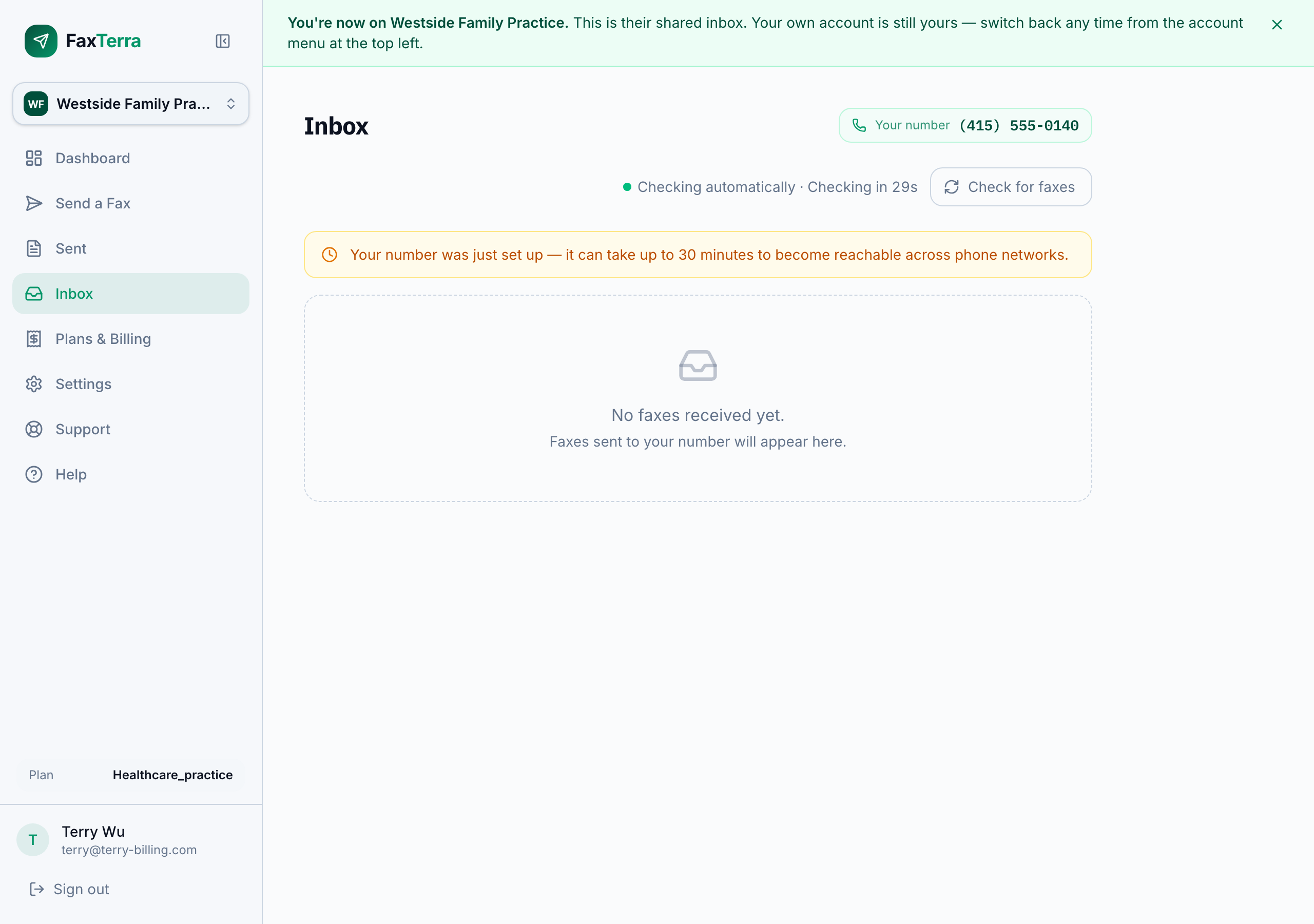
Accepting an invite changes nothing about your own account. Your plan, your number, your history, and your pages all stay yours; you simply gain access to the team's account alongside your own. After you accept, the team's inbox is what you see first, and an account menu appears at the top of the sidebar for switching.
Switching between accounts
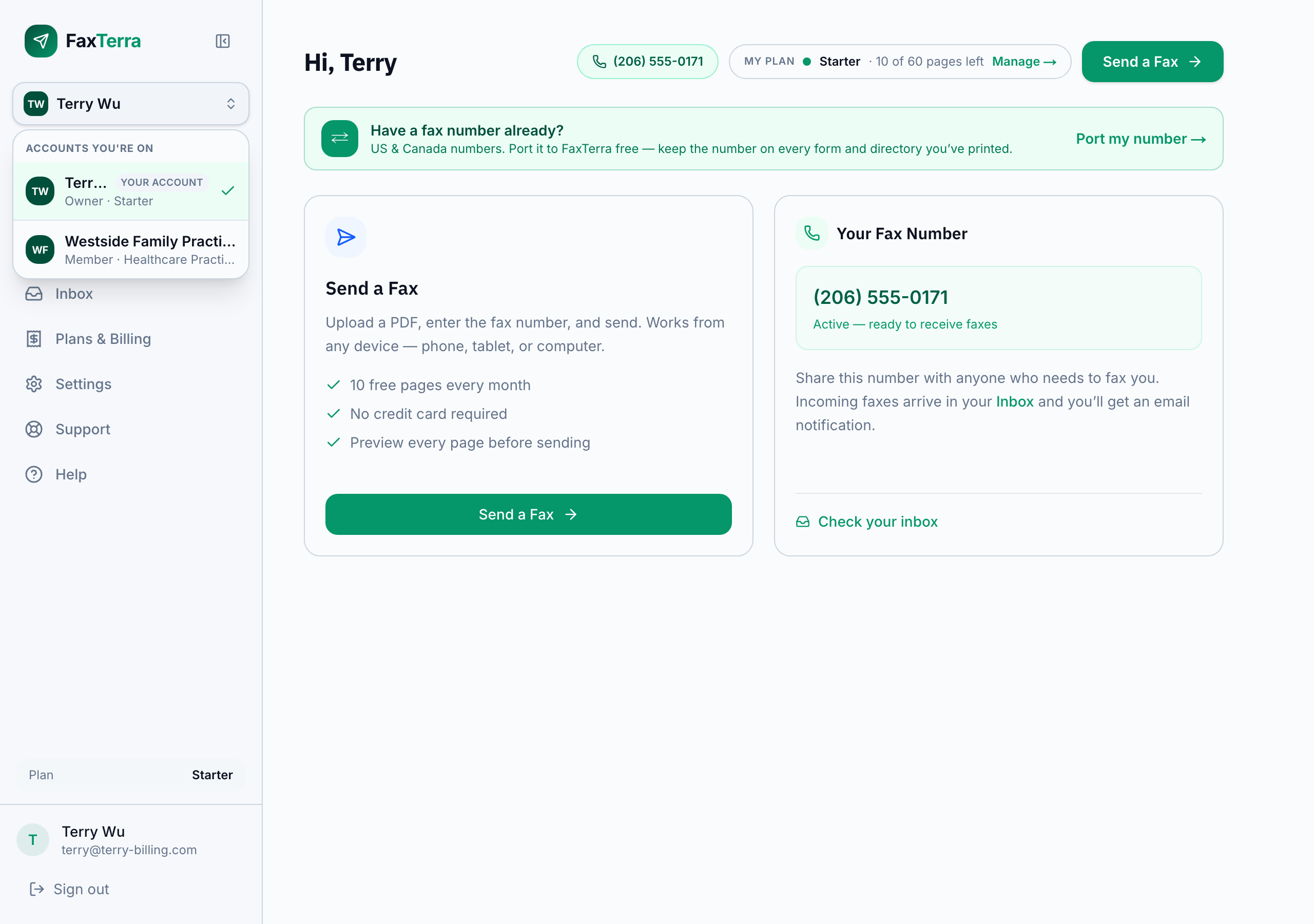
If you are on more than one account, the account menu at the top of the sidebar shows them all, with your role on each and a tag on your own. Switching changes everything at once — the number you send from, the inbox you read, the pages you draw on, and the history you see. There is no combined view; you are always working in exactly one account, and the menu always shows which.
Moving a fax number to another account
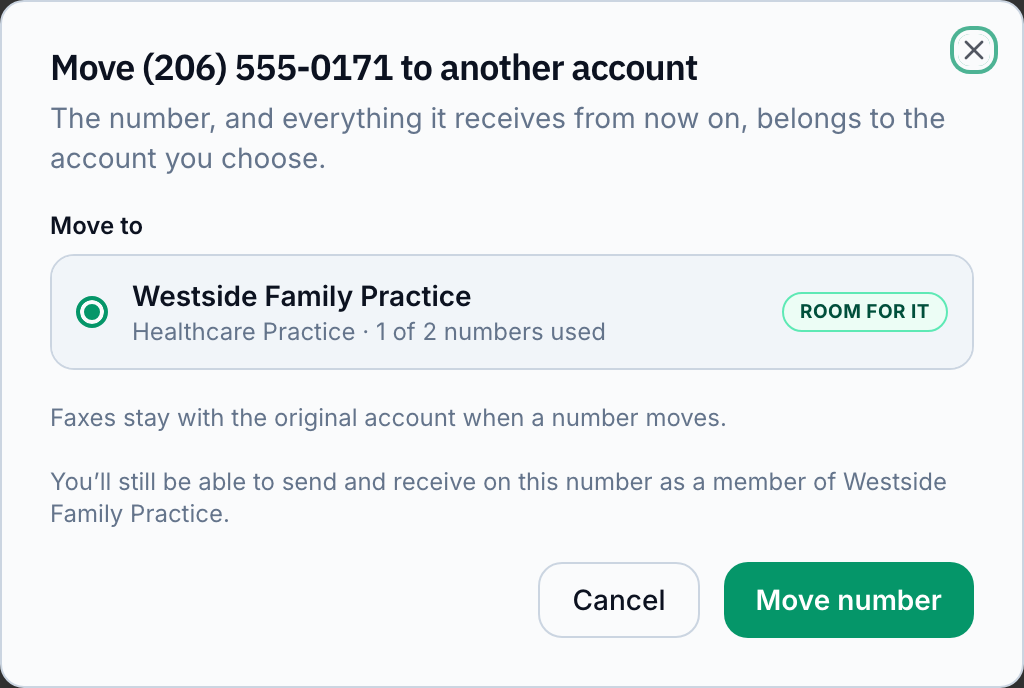
A published fax number can move to the account that should own it — for example, a number you set up personally that your practice now depends on. From your fax numbers page, choose Move on the number you want to send and pick the destination. You need to be an admin of the account the number is leaving and on the account it is joining, and the destination needs room for another number. Room means an unused number on the destination's plan, or an extra number added to it first.
Faxes stay with the original account when a number moves: everything already sent or received stays where it happened, and new faxes to that number arrive at its new home.
Changing the owner
The owner can hand the account to someone else from the Team card. The new owner gets an emailed offer that is good for 7 days and does not count as a person on the account; nothing changes until they accept. When they do, they become the owner and the previous owner stays on the account as an admin. A subscription paid by card is no obstacle — it belongs to the account, so it travels with it, and the new owner can manage or cancel it like any other admin. One paid through the App Store or Google Play is different: it stays with the person who bought it and only they can cancel it, so ownership can't move until they have. The offer goes to someone who is not already on the account; to hand it to a current teammate, remove them first.
Leaving, and removing people
Anyone except the owner can leave an account, and admins can remove people. Leaving costs you access to that account's number, inbox, and history — including faxes you sent there, which remain the account's business record. Everything in your own account is untouched, and you can be invited back at any time.
One exception, and it is about app-store billing: if someone's App Store or Google Play subscription is paying for the account, they cannot leave or be removed until it is cancelled — only they can cancel it, in their store's settings. A subscription paid by card carries no such restriction, because any admin can cancel it from the account itself.
Billing on a team account
Everyone on the account draws from the same pool of pages. Admins and the owner can buy extra pages for the account they are working in — the pages land on that account, charged to the buyer's own card. Members see the option explained rather than a button that fails.
Plan changes work the same way: any admin can subscribe, change, or cancel the plan of the account they are working in, and the charge lands on that account. Members are told to ask an admin rather than finding out at the card form.
Frequently Asked Questions
Can my whole office share one fax number?
Yes. That is what a team account is: one number, one inbox, and one pool of pages, shared by everyone on the account. Invite people from Settings and they see the same faxes you do.
Does joining a team give the team access to my own faxes?
No. Joining changes nothing about your own account — your number, history, and pages stay yours alone. The team only shares what happens on the team's account.
What happens to faxes someone sent when they leave the team?
They stay with the account. Faxes belong to the account that sent or received them, like any business record, so a departure never removes anything from the team's history.
Who can buy pages on a team account?
Admins and the owner. Pages bought while working in a team account land on that account and are charged to the buyer's card. Members can send and receive but leave the buying to admins.
Can I be on more than one account?
Yes. You keep your own account and can be on any number of teams. The account menu at the top of the sidebar switches between them, and you are always working in exactly one at a time.
How many people can be on my plan?
As many as you like, on every plan including Free, with no per-user fees. The only limit is a fair-use one at 25 people; past that, contact support and we raise it.