Managing your FaxTerra account
Signing in, where your notifications go, and how to cancel or close your account — all self-serve, with no need to contact anyone.
Signing in
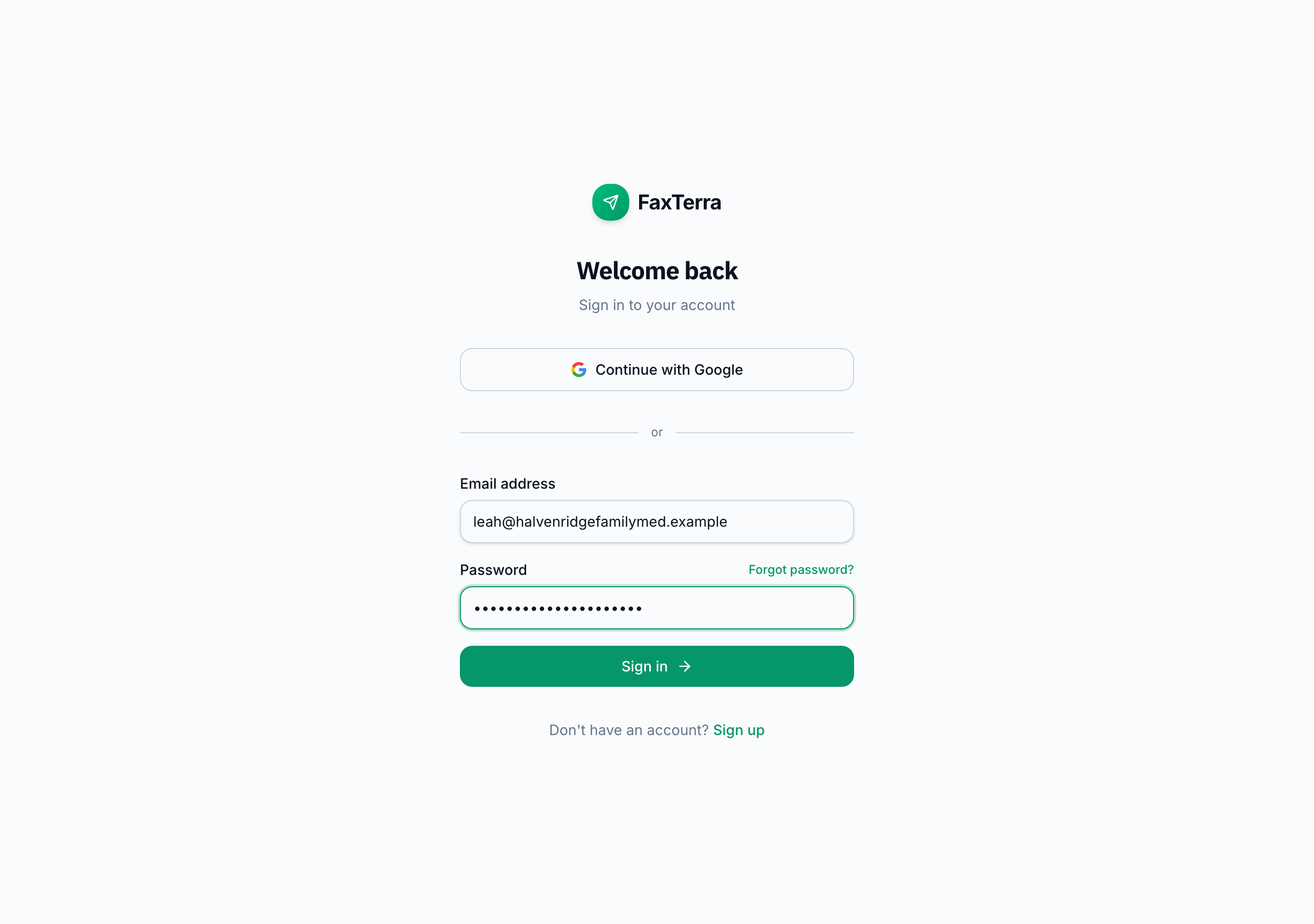
You never need a password to use FaxTerra. On the web you can sign in three ways: a one-time sign-in link emailed to you, a Google sign-in, or a password if you choose to set one. Setting a password is optional — the first time you sign in with an emailed link we offer to add one so you can skip the email next time, and you can set or change it any time in Settings. The mobile app signs you in with Google or Apple, or with a code emailed to you.
The emailed link opens a FaxTerra page that shows the address you are signing in as, with one button on it. Pressing that button is what signs you in. The step is there because many company mail systems open links automatically to scan them, and a sign-in link only works once, so without it the scan used up the link before you clicked it.
If a sign-in email to your address was previously returned as undeliverable, the form tells you so instead of pretending to send another one. Once the mailbox is fixed and accepting outside email, one click on the form sends a fresh link.
Your notification email
FaxTerra emails you your delivery confirmations and, if you have your own number, a note when a fax arrives. These go to the address you sign in with, unless you set a separate notification email in Settings; that redirects the notifications without changing how you sign in. Your notification preferences are in Settings as well.
Canceling a subscription
You can cancel any time, yourself, without leaving FaxTerra: choose Cancel subscription on the Plans page or in Settings under Plan and Billing, then confirm. Cancellation takes effect at the end of the period you have already paid for, so you keep your plan and your fax number until then, and your purchased credits stay yours. The confirmation screen shows your own fax number and says what happens to it, so nothing about the outcome is a surprise. Keep my subscription undoes the cancellation any time before it takes effect, and the reminder stays in front of you on the Plans page and your dashboard until the date arrives. About five days before that date we send one email restating it. If a payment was still outstanding when you cancel, we stop trying to collect it and stop the payment reminders; if you then keep the subscription after all, that renewal is charged to your card when you keep it, so the period you are keeping is paid for. Where you press cancel depends on who bills you, and what happens afterwards does not: see billing and who bills you.
If a renewal payment fails
Nothing is switched off the moment a charge is declined. You keep your fax number, you keep receiving faxes, and you keep your history while it is sorted out. Faxes sent to you during that time arrive as usual and wait in your inbox, so nothing is missed while a payment is being fixed. We email you and show a notice on your dashboard and Plans page, and all three point at the same place: Fix payment. That link does not expire, so it still works whenever you get to it.
The page says why the charge failed and leads with the one thing that will fix that particular reason. If the card was simply short on funds, the first option charges it again once you have topped it up, up to three tries spaced an hour apart. Some banks refuse an automatic charge while being willing to approve the same payment made in person; in that case the page leads with paying the renewal yourself on a secure payment page, where your bank can ask you to confirm it. If the bank has declined the card itself, the page leads with adding a different card; adding one charges the outstanding amount right away. If your bank wants an extra confirmation step, the page hands you to your bank's secure confirmation page. And whichever of these the page recommends, the option to pay the renewal yourself is always there too, because you know your card better than a decline code does.
You can also do nothing. We keep retrying the card automatically for about a month, and the page and the email both state the next date so the choice is an informed one. If every retry fails, the subscription ends and the number is released. Canceling stops the retries. A subscription billed by Apple or Google is fixed in that store instead, and the page links you straight there.
Receipts and invoices
Every purchase made on the FaxTerra website emails you a receipt. Whether you bought a credit pack, a 90-day number, or started a subscription, the confirmation email shows what you paid and when, with a link to view or download the invoice as a PDF. That link keeps working: open it months later, when you are reconciling expenses or filing taxes, and it still resolves to a current copy.
A purchase made inside the iPhone or Android app is charged by Apple or Google, and the receipt comes from them; billing and who bills you says exactly where to find it in each store.
We do not email you for a subscription renewal. Renewal invoices, and every earlier website invoice, are in the billing portal (Manage billing, on the Plans page or in Settings), which also handles your card and tax details. If you cannot find a receipt, ask support and we will send it.
Reaching a person
Every help page and the in-app help panel carry a chat that answers from these docs. When it does not have your answer, choose Get help from a human. The chat's message box turns into a short form right where you are, the conversation you already had goes with it, and the answer you were reading stays put. Cancel puts the message box back. We usually reply within a few hours, and always by the next business day. The reply arrives by email, and if you are signed in it also appears in your support thread, where you can write back.
You do not need an account to use it. A signed-out visitor adds an email address and we reply there. Questions and feedback are welcome even if you have never sent a fax with us.
Refunds
Refunds are handled by our support team, case by case — just reach out. We do not charge you for something the product did not let you do.
Closing your account
Deleting your account is self-serve from Settings. It removes your personal information, releases your fax number, and cancels any subscription immediately. If you only want to stop being billed, cancel your subscription instead: deleting cancels right away and forfeits the rest of the period you have paid for, and Settings offers you that choice before you confirm. If you have already cancelled, Settings does not repeat that offer, but it names the date your plan and number stay active until and tells you that deleting gives up the paid days in between.
Who operates FaxTerra
FaxTerra is operated by Developing Media LLC. Some official forms — certain IRS forms, for example — ask for your fax provider's address; it is: FaxTerra (operated by Developing Media LLC), 570 El Camino Real #150 Unit 308, Redwood City, CA 94063.
Frequently Asked Questions
Do I need a password to use FaxTerra?
No. You can sign in with a one-time link emailed to you, or with Google (or Apple on mobile). The emailed link opens a page with a confirm button on it, and pressing that button signs you in. Setting a password is optional and can be done any time in Settings if you would rather skip the email step.
How do I cancel my subscription?
Choose Cancel subscription on the Plans page or in Settings under Plan and Billing, then confirm. It takes effect at the end of your paid period, so you keep your plan and number until then. A subscription billed by the App Store or Google Play is cancelled in that store instead, with the same outcome; see billing and who bills you.
What happens to my fax number if I cancel?
You keep your number until the end of the period you have paid for. After that, a FaxTerra-assigned number goes back into circulation: faxes sent to it will not reach you. If you start a new plan later, the number picker offers to search for your previous number, but it is not held for you and may already be taken (see "Can I get my old fax number back?" below). A number you ported in is treated differently, because it is yours: it is held for 60 days so you can move it to another provider, free. Either kind of number can be transferred to another provider at no fee; an assigned number has to be moved before the period ends. See taking your number with you. Deleting your account releases the number right away.
Can I get my old fax number back?
Sometimes. A FaxTerra-assigned number is not held for you after your plan ends: it goes back into circulation, and anyone can be assigned it. What we do keep is the memory of which number was yours. If you subscribe again within 90 days of the release, the number picker (where you land after subscribing, and the Get a fax number button on the Fax Numbers card in Settings) shows "Your previous number was (xxx) xxx-xxxx" with a Search for it button. That runs the normal number search and puts your old number first if it is still available; choose Select and it is yours again, like any other number. If it has already been taken, the search says so and shows other numbers in the same area code. Two things this is not. It is not a hold: nothing keeps the number for you, so the sooner you come back the better the odds. And it only works for a number that was on your own account. A number you ported in is handled differently and is held for 60 days; see bringing your number with you.
My renewal payment failed. What do I do?
Open Fix payment, from the email we sent you or from the notice on your dashboard or Plans page. It says why the charge failed and leads with what will fix that reason: charge the same card again if it was short on funds, pay the renewal yourself if your bank refused our automatic charge, add a different card if the bank has declined the card itself, or confirm with your bank if it wants an extra step. Whatever it suggests, you can always choose to pay the renewal yourself instead. Your fax number stays active the whole time, and if you do nothing we keep retrying the card automatically for about a month. A subscription billed by the App Store or Google Play is fixed in that store instead; see billing and who bills you.
I paid but my plan or pages are not showing.
The most common cause is a checkout that was closed before it finished. Nothing is charged in that case, so there is no payment to track down and starting the purchase again is safe. If you did complete it, look for the confirmation email: every purchase on the website emails a receipt with a link to the invoice, and a purchase billed by the App Store or Google Play is receipted by that store, in your purchase history there. Your current plan and page balance are on the Plans page and in Settings under Plan and Billing. If you have a receipt and the plan still is not showing, send it to support and we will sort it out.
My pages or plan disappeared after I signed in.
You are most likely looking at a second account. FaxTerra knows you by your email address, so signing in with Google, with Apple, or with an emailed link all reach the same account as long as they carry the same address. If one of them uses a different address, a work Google account alongside a personal email for instance, that is a separate account with its own plan, pages, and history. Sign in the way you did the first time and your faxes will be there. If you cannot work out which way that was, contact support with the addresses you might have used and we will help you find it.
Can I change the email address I sign in with?
Not today. Your email address is how FaxTerra knows which account is yours, so there is no way to change it in Settings. Two things do work. If you want notifications somewhere else, set a notification email in Settings and your delivery confirmations and received-fax alerts go there instead, without changing how you sign in. And if you are losing access to your sign-in address altogether, contact support before it goes away and tell us what is changing, and we will help you sort out your options.
I never got the sign-in email.
Check your spam or junk folder first, and search for FaxTerra rather than scrolling. A work address is the other common cause, because some company mail filters hold email from outside the organization; a personal address often arrives when a work one does not. If an earlier sign-in email to your address was returned as undeliverable, the sign-in form tells you so rather than quietly sending another, and offers to send a fresh one once the mailbox is accepting outside email again. If the link opened a FaxTerra page but you never got past it, press the button on that page: opening the email is not the same as confirming. If none of that helps, email support and we will look at it from our side.
How do I get a receipt for my purchase?
For a purchase made on the website, your confirmation email has one. It shows the amount and date with a link to view or download the invoice as a PDF, and that link keeps working months later. Website invoices are also in the billing portal under Manage billing, on the Plans page or in Settings. A purchase made inside the mobile app is charged by Apple or Google, and its receipt is in your App Store or Google Play purchase history.
Why did I not get an email for my subscription renewal?
We email you when you first subscribe and for every one-time purchase on the website, but not for monthly or annual renewals. Renewal invoices are in the billing portal under Manage billing whenever you need them.
Is my billing period the calendar month, or does it run from when I signed up?
It runs from when you signed up, not the calendar month. Your subscription renews on its own cycle based on your signup date: subscribe on the 12th and each period runs from the 12th to the 11th of the next month, or the same date each year on annual billing. That is the period we mean whenever we say "the period you've already paid for," including when you cancel or a renewal payment fails. Your free and included pages work differently: they always reset on the 1st of the calendar month no matter when you subscribed. See plans and pricing for how pages reset.
How do I reach a real person, and how fast will you answer?
Open the help chat on any help page or in the in-app help panel and choose Get help from a human. The message box turns into a short form and carries the conversation with it, so you do not repeat yourself. We usually reply within a few hours, and always by the next business day. You do not need an account: a signed-out visitor adds an email address and we reply there.
Can I get a refund?
Reach out to support and we will look at it case by case. We do not charge for something the product did not let you do.
How do I delete my account?
From Settings — deleting your account is self-serve. It removes your personal information, releases your fax number, and cancels any subscription.